
The Memory tab controls what the Coworker remembers and for whom. You can skip it — without a memory configuration, the Coworker does not retain context across sessions.

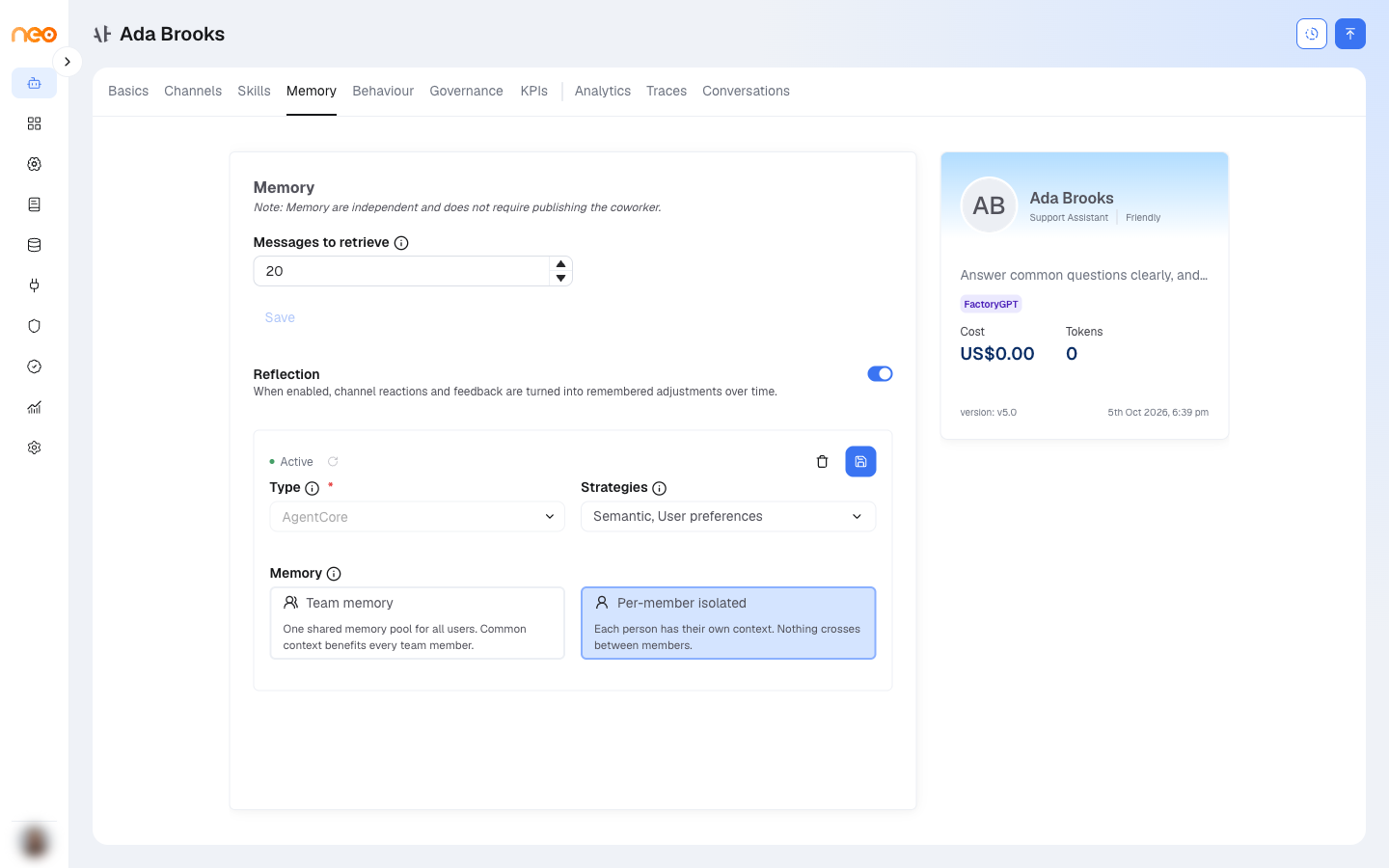
| Setting | Options | Notes |
|---|---|---|
| Type (backend) | AgentCore, Postgres | Locked after the first save. AgentCore is managed long-term memory in AWS; Postgres uses your workspace database and runs extraction on a schedule. |
| Strategies (AgentCore) | Semantic, Episodic, User preferences | Multi-select. Shown only for the AgentCore backend. |
| Strategy (Postgres) | User Level Preference | Shown only for the Postgres backend, with an editable extraction prompt and a default 60-minute interval. |
| Memory scope | Team memory, Per-member isolated | Team memory = one shared pool for all users of this Coworker. Per-member isolated = each person has private context. New Coworkers default to Per-member isolated. |
| STM Retrieval Limit | 0 to 1000 (default 10) | Maximum short-term events returned at run time. Shown for the Postgres backend only. |
| LTM Retrieval Limit | 0 to 1000 (default 10) | Maximum long-term records returned at run time. Shown for the Postgres backend only. |
Note
Retrieval-limit fields appear only when the backend is Postgres; with AgentCore, retrieval uses built-in defaults. Memory scope is set here and applies within a single Coworker.
Reflection
A Reflection toggle — on by default — lets the Coworker learn from how people respond to it over time. When it is on, signals such as a user’s reaction to one of its messages on Microsoft Teams help it adjust how it responds.
Tip
Reflection works hand in hand with the implicit feedback captured on Teams. For how those reactions are captured and used, see Observability.