
Blocks are the building units of a chatbot flow. Every block belongs to one of four categories, visible in the block sidebar on the right of the canvas.
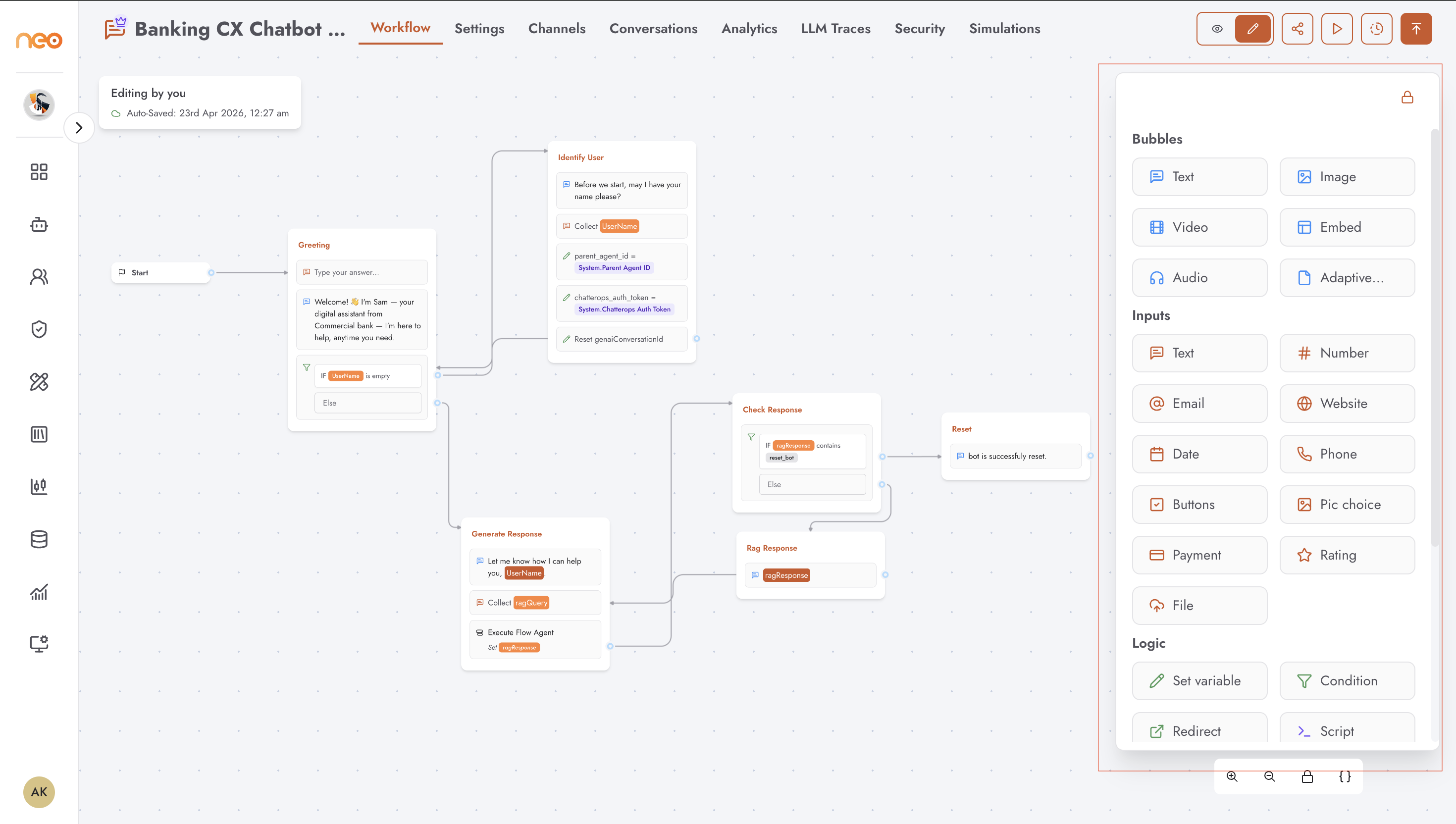
Bubbles
Bubble blocks send messages from the agent to the user. They render as chat messages in the conversation.
| Block | Description |
|---|---|
| Text | Sends a text message. Supports rich formatting and variable references using {{variableName}} syntax. |
| Image | Sends an image file by URL. |
| Video | Embeds a video in the conversation. |
| Embed | Embeds an iframe or external content. |
| Audio | Sends an audio file by URL. |
| Adaptive Card | Sends a structured interactive card using the Adaptive Card schema. Supports form fields that save values into variables. |
Inputs
Input blocks prompt the user for a response and capture it into a variable.
| Block | Description |
|---|---|
| Text | Free-text input field. |
| Number | Numeric input with optional validation. |
| Email address input with format validation. | |
| Website | URL input. |
| Date | Date picker. |
| Phone | Phone number input. |
| Buttons | Presents a set of button choices. The selected option is captured as a variable value. |
| Pic choice | Image-based choice selection. |
| Payment | Payment collection input. |
| Rating | Star or numeric rating input. |
| File | File upload input. |
Logic
Logic blocks control the flow of the conversation — branching, redirecting, waiting, and manipulating variables.
| Block | Description |
|---|---|
| Condition | Branches the flow based on a condition. Evaluates a variable or expression and routes to different groups for true and false outcomes. |
| Set Variable | Assigns a value to a variable. The value can be a static string, a formula, or the output of a code expression. |
| Script | Executes a JavaScript snippet. Use to transform data, compute values, or call logic that cannot be expressed with other blocks. |
| Redirect | Redirects the user’s browser to a URL. |
| Wait | Pauses the flow for a specified duration before continuing. |
| Jump | Jumps to a specific group in the current flow without drawing an edge. |
| AB Test | Splits traffic between two paths at a configurable ratio for A/B testing. |
Integrations
Integration blocks connect the chatbot to external services and AI models.
| Block | Description |
|---|---|
| Webhook | Makes an HTTP request to an external URL and optionally saves the response into a variable. |
| Flow Agent | Hands off to an Agentic Flow agent and returns the result into the chatbot flow. |
| Voice Agent | Triggers a Voice Agent call. |
| DifyAI | Calls a GenAI flow (Dify) workflow or chatbot. |
| QR Code | Generates a QR code image from a URL or text value. |