
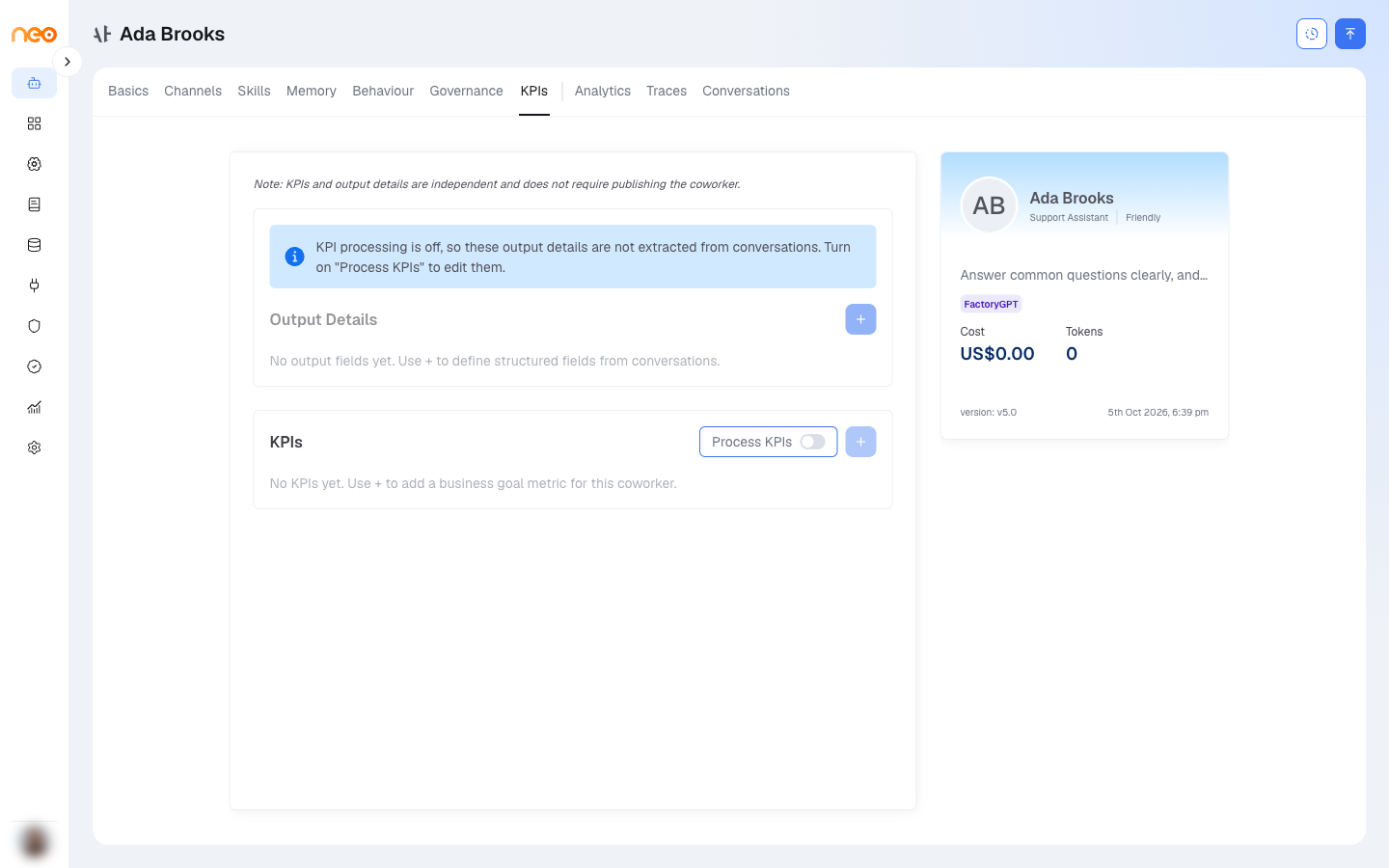
The KPIs & Output Details tab defines what to measure on each conversation. It becomes available only after the Coworker is published; until then it shows “Publish the coworker to configure output details and KPIs.”

Important
Output Details and KPIs are processed only when Process KPIs is on. The toggle sits in the KPIs section header and is off by default for every Coworker. While it is off, both sections are dimmed and nothing is extracted from conversations.
Each Output Details field also has its own Enabled / Disabled switch. A disabled field is not extracted and cannot be used in a KPI. Adding fields requires a published version.
Output Details
Output Details are the structured fields the platform extracts from each conversation. Each field has:
- Field Name — lowercase letters, numbers, and underscores only.
- Type — one of:
string,integer,number,boolean,array,object,null,date,datetime, orenum. - Field Description — what the field captures. This guides the extraction, so be specific.
These fields are the schema your KPIs are built on.
KPIs
A KPI is an expression over your Output Details fields. Each KPI has a name, a field, an operator (which depends on the field’s type), a value, and an aggregation — Count, Sum, Average, Minimum, or Maximum.
The operators available depend on the field type:
| Field type | Operators |
|---|---|
| string | Equals, Contains |
| integer / number | Equals, Greater Than, Less Than |
| boolean | Is True, Is False (no value needed) |
| array | Equals, Contains, Length Greater Than, Length Less Than |
| object | Equals, Contains, Key Count Greater Than, Key Count Less Than |
| null | Is Null, Is Empty |
| date / datetime | Equals, After, Before, Contains, Is Empty |
Sum, Average, Minimum, and Maximum apply to numeric fields only; Count is always available.
When Process KPIs is on, the platform extracts the enabled fields from each conversation’s transcript after it ends and stores the results. They surface on the Conversations tab and the Analytics dashboard — see Observability.
Note
KPIs are expression-based metrics surfaced as results. To grade a Coworker’s answers against expected outputs, use Evaluations instead.