
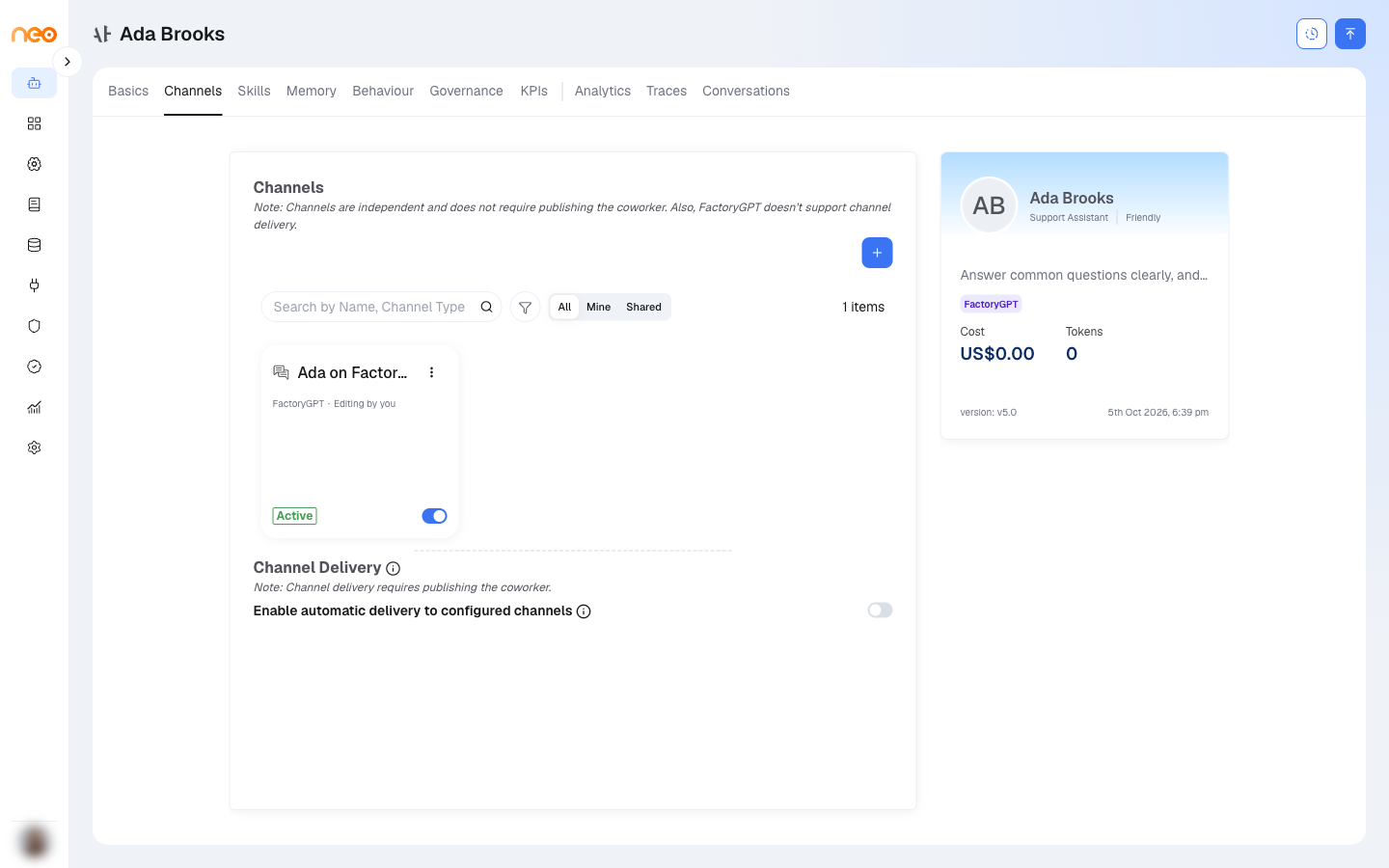
The Channels tab connects a Coworker to the surfaces it operates on. It shows a grid of configured channels — each with an Enable toggle — and a + button (Add channel) that lists the channels you can add. A Coworker can run on these channels:

| Channel | Routes | Purpose |
|---|---|---|
| NeoGPT | Conversation | Internal chat inside OneByZero Neo. The quickest channel to test on — no external setup required. |
| Microsoft Teams | Conversation | One-to-one chat with the Coworker’s bot. |
| Outlook (email) | Incoming (poll), Conversation, Outgoing | Polls a mailbox for new mail and replies by email; can also send outgoing notifications. |
| Conversation | Messages and feed events from a Facebook Page. | |
| Jira | Trigger | Jira webhook events start the Coworker. |
| Universal Webhook | Trigger, Conversation, Notification | Connects the Coworker to any external system over HTTP. |
| Google Chat | Conversation | Direct messages and spaces in a Google Chat app. |
| Voice | Conversation | Inbound phone calls to the Coworker. |
Note
You must publish the Coworker at least once before you can enable or disable a channel. Until then the toggle is blocked, with the message “Publish the coworker before enabling or disabling channels.”
Other channels in OneByZero Neo are configured directly on individual agents — see Channels.
Configuring Each Channel
| Channel | What you set | Full reference |
|---|---|---|
| NeoGPT | Channel name, an initial greeting, and whether this Coworker is the default assistant. No credential needed. | — |
| Microsoft Teams | Teams bot credentials, session expiry, and optionally Show agent activity. | Microsoft Teams |
| Outlook (email) | Your Microsoft sign-in or app credentials, how often to check the mailbox, filters, and reply settings. | Outlook Mail |
| Facebook Page credentials. | Facebook Messenger | |
| Jira | Jira webhook settings. | Jira |
| Universal Webhook | Endpoint and authentication. | Universal Webhook |
| Google Chat | Google Cloud service account key. | Google Chat |
| Voice | Phone number (E.164), Twilio account SID and auth token, language, speech-to-text and text-to-speech providers, and voice. Publish the Coworker first. | — |
Channel Delivery: Sending Messages Proactively
Once the Coworker has a published version, a Channel Delivery section lets it push a message proactively to a channel route. Turn on Enable automatic delivery to configured channels, then add one or more delivery targets. For each target you choose:
| Choice | What it means |
|---|---|
| Channel / route | Where the message goes — a Microsoft Teams, Outlook, Facebook, Universal Webhook, or Google Chat route. NeoGPT cannot be a delivery target. |
| Event type | The kind of message for that route (for example a note, an Adaptive Card, or an email). The available event types are provided by the channel. |
| Invocation | Automatic — you define a fixed delivery; or Agentic — the Coworker decides what to send, in which case the event type and recipient are set automatically. |
| Recipient | A specific person, or Auto to let the system decide. |
| Message Template | The words and layout of the message, with optional {{placeholders}}. Leave it blank to have the assistant write the message, or write it in full to send exactly as composed. |
Handles configured on the Basics & Identity tab are listed under Handles (always delivered). Replies are always delivered to them, so they cannot be chosen or removed as delivery targets here.
When authoring a template, an Adaptive Card must be valid Adaptive Card JSON, and an email needs a subject, body, and recipient.
Adaptive Cards (Microsoft Teams) are rich, interactive cards. To send one, set the event type to the card type on a Teams route and paste an Adaptive Card JSON into the template (or leave it blank to have the assistant generate one). For interactive approvals, use the Human-in-the-Loop approval card on the Governance tab — there the system adds the Approve and Reject buttons for you.
Note
For the full mechanics of delivery templates — placeholder reference, Adaptive Card structure, and worked JSON examples — see Channel Delivery Templates.