
Integrations are the tools, models, and skills that agents use at runtime to interact with external systems, retrieve live data, execute code, or trigger actions. Like all Foundry resources, integrations are created and configured once at the workspace level and then made available to any agent.
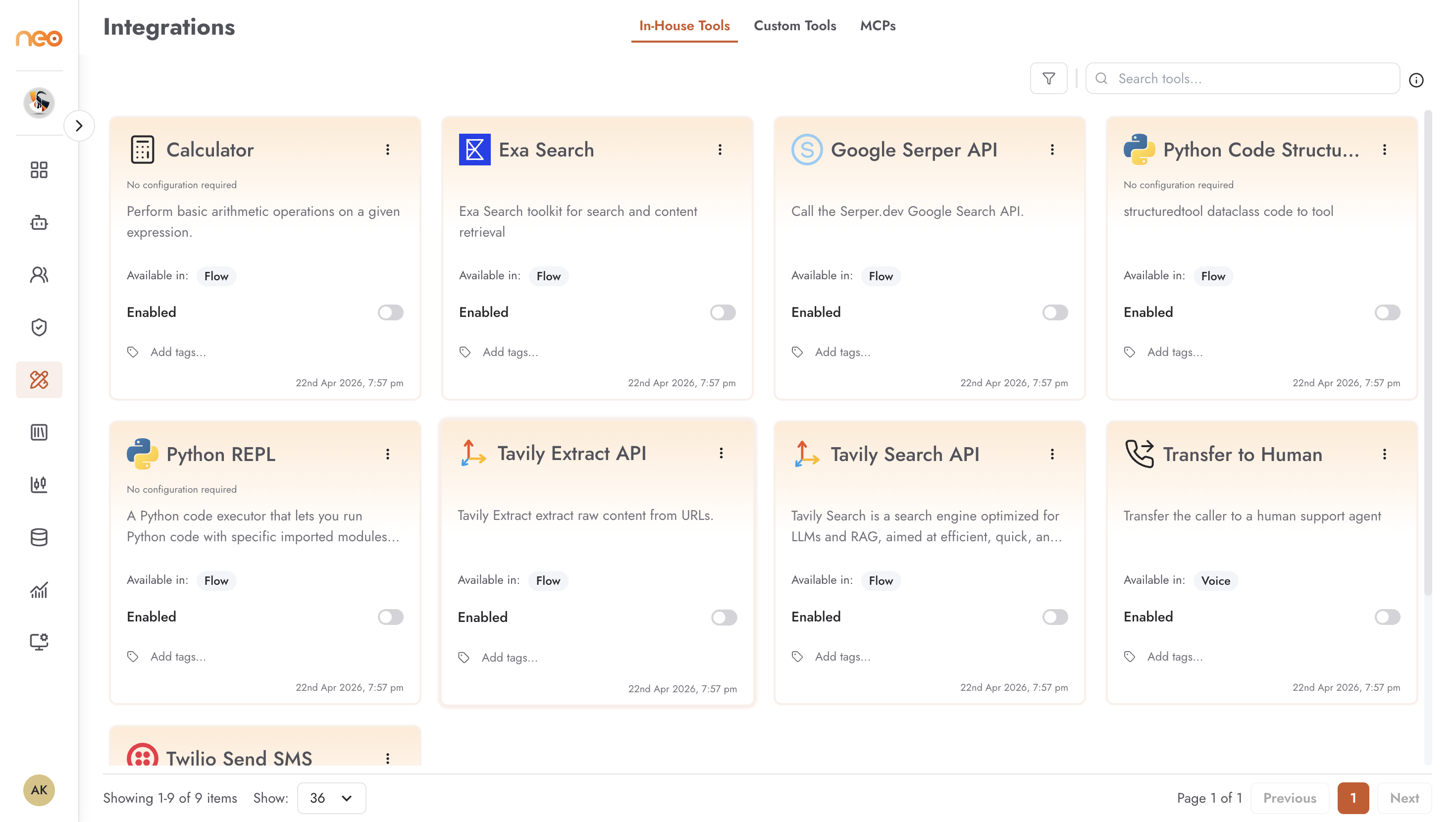
The Integrations page has the following tabs, shown in alphabetical order:
- Custom Tools — integrations you define from an OpenAPI specification, connecting agents to your own APIs and internal systems.
- In-House Tools — prebuilt integrations to common services and utilities, ready to use with minimal or no configuration.
- LLMs — the LLM models enabled for agents in the workspace.
- MCPs — tools exposed by MCP (Model Context Protocol) servers, either platform-managed or user-deployed.
- Providers — credentials used by channels (Channel Credentials) and by custom tools (Custom Tool Credentials).
- Skills — reusable instruction packages that teach agents how to perform specific tasks.
- Skillsets — named bundles of skills for AI Coworkers. Shown when AI Coworkers are enabled for the workspace.
Access control
Each tab is shown only to users whose role includes permission to view it, and creating items on a tab needs the matching create permission. See Roles & Permissions.
In this section: