
The Behaviour tab shapes how the Coworker operates, independent of any single request. It has three sections: Procedure, Boundary rules, and Proactive routines.

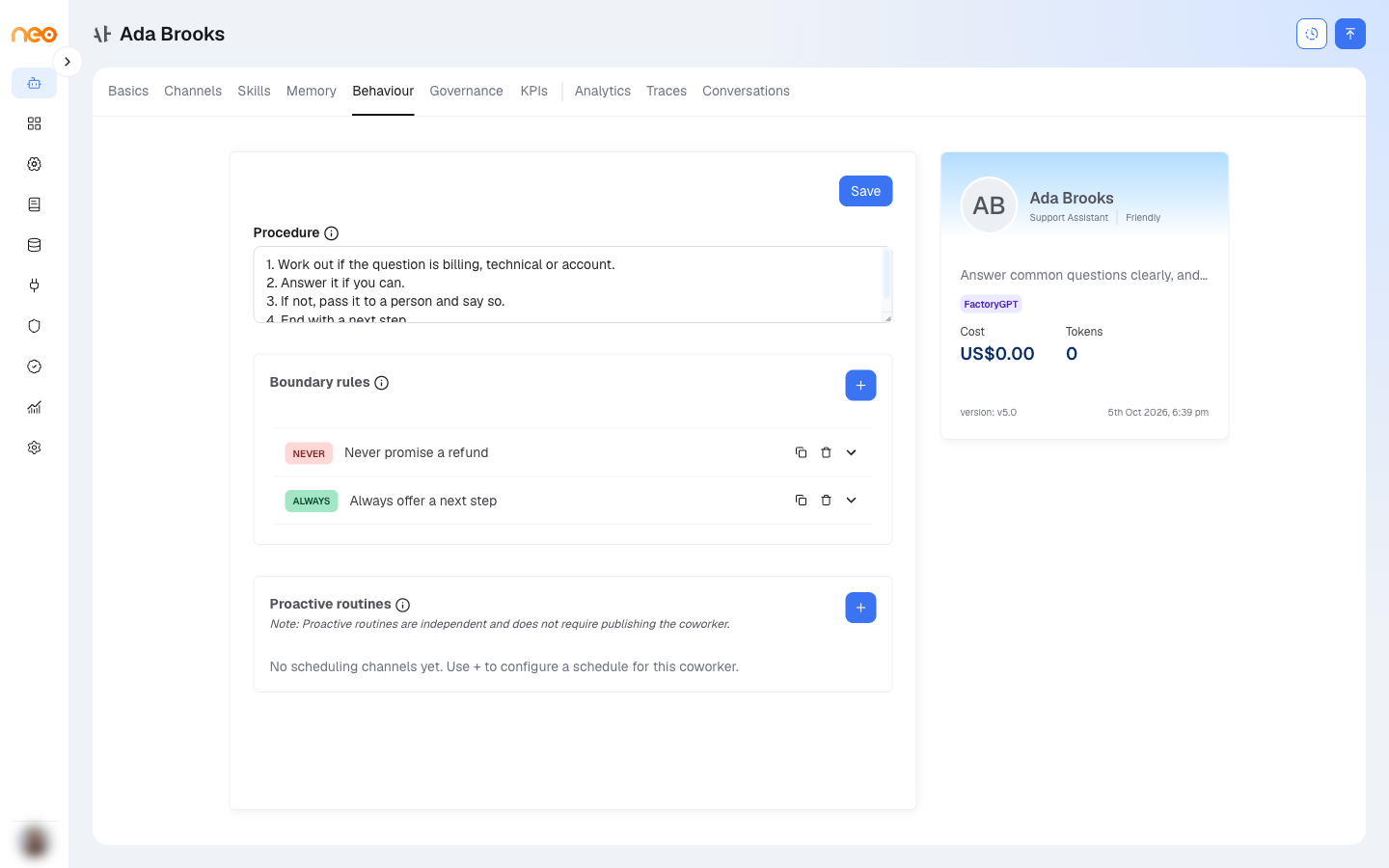
Procedure
The Procedure field holds free-text, step-by-step operating instructions — the standard way you want the Coworker to work through a request. It is added to the agent’s instructions alongside the Basics, so use it to encode an intake-then-resolve sequence, a checklist, or an order of operations the Coworker should follow every time.
Boundary Rules
Boundary rules are absolute constraints. Click + to add a rule; each has free text and a category:
- Never — a hard constraint the Coworker must not do.
- Always — something it must do in every interaction.
Boundary rules are compiled into the agent’s instructions as hard constraints, reinforcing the scope and principles set on Basics & Identity.
Proactive Routines
A proactive routine runs the Coworker on a schedule — for example, a daily summary or a periodic check. Click + to open Configure proactive routines and set the cadence:
- Trigger Interval — Minutes, Days, Weeks, or Months.
- Interval Value — how many of those units between runs.
- For Days, Weeks, or Months: Trigger Hour, Trigger Minute, and Timezone. Weeks adds Days of Week; Months adds Day of Month.
- An optional initial message to start each run with.
Note
Save Basics first (so the Coworker exists) before adding a routine, and publish the Coworker before you can enable or disable one.