
The LLMs tab on the Integrations page is where you choose which LLM models are available to agents in your workspace.
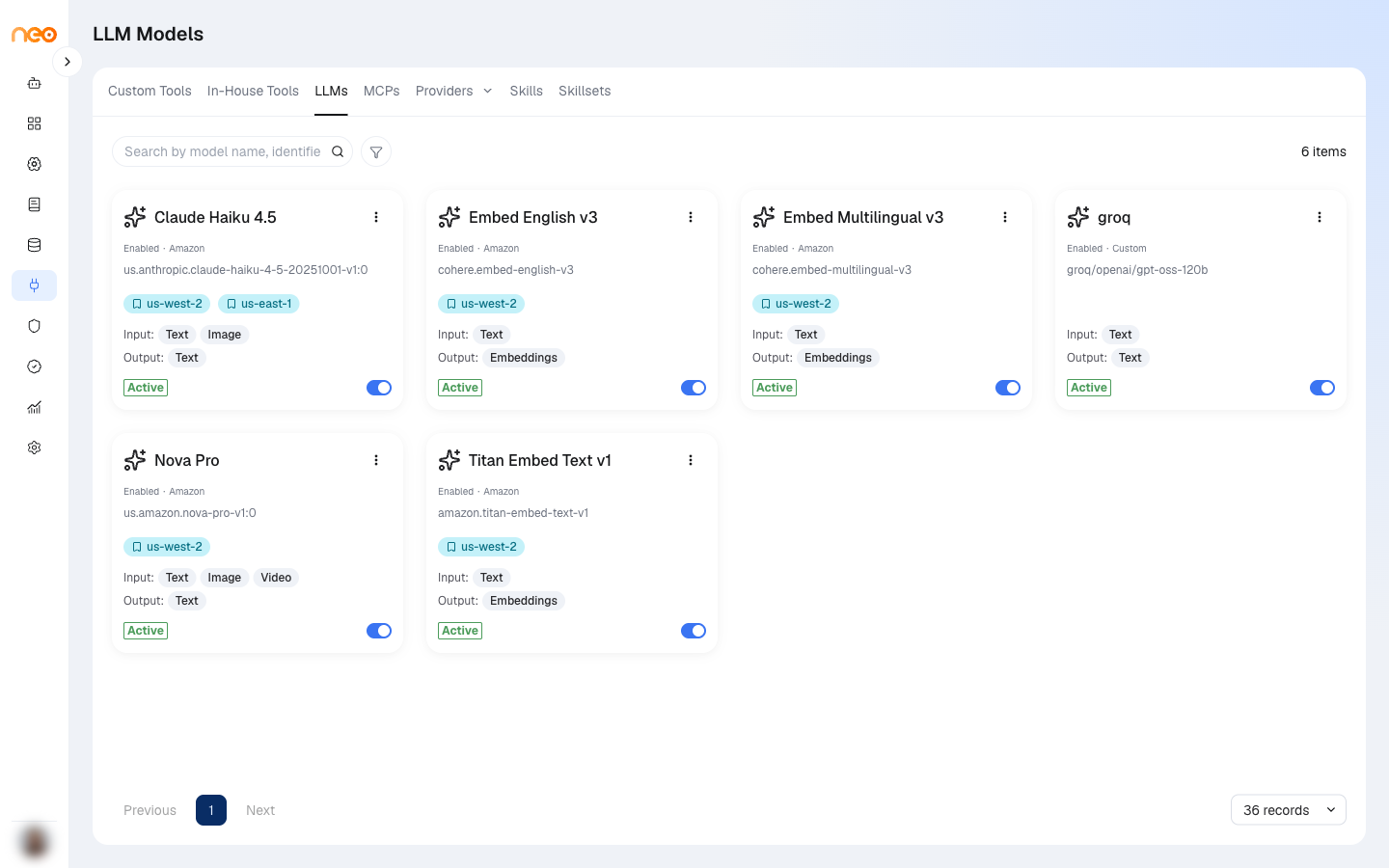
Every model is controlled at two levels:
- Platform level — a Super Administrator registers the model, it passes validation, and it is enabled for the platform. Until then, the model does not appear in any workspace. See LLM Management.
- Workspace level — once a model is enabled for the platform, it appears on this tab switched off. You turn it on for your workspace.
A model that is not enabled for the workspace cannot be used by agents in that workspace, even if it is enabled for the platform.
Model Cards
Each model appears as a card showing its name, identifier, provider, regions, and input and output modalities. The card status is one of:
- Enabled — available to agents in the workspace.
- Disabled — not available in the workspace.
- Deprecated — retired by the platform. The toggle is greyed out and the model cannot be used.
Use the search box to find a model by name, identifier, or provider, and the Provider, Prefix, Output Modalities, and Region filters to narrow the list.
Enabling a Model
Use the Active / Inactive toggle on a model card to make the model available — or unavailable — to agents in the workspace. Changing the toggle requires the Edit Workspace LLM Models permission, and the tab itself is visible only with View Workspace LLM Models.
To control who in the workspace can use a specific model, open the card menu and choose Share. See Roles & Permissions.
Where Enabled Models Appear
Workspace-enabled models are listed wherever the platform asks you to pick a model:
- Agentic Flow components — the Model Provider and Model ID dropdowns on model-based components. Click the refresh button next to a dropdown to reload the list.
- Voice Agent — the model selection in the voice agent configuration.
- AI Coworkers — the Foundation model field on the Basics tab.
- Knowledge bases — the embedding model when creating a knowledge base.
- Evaluations — the judge model selector.
Note
Disabling a model at either level takes effect immediately. Agents configured to use it fail at their next call until the model is re-enabled or the agent is pointed at a different model.