
The Providers tab on the Integrations page holds the credentials that channels and custom tools use to connect to outside services. It has two sections:
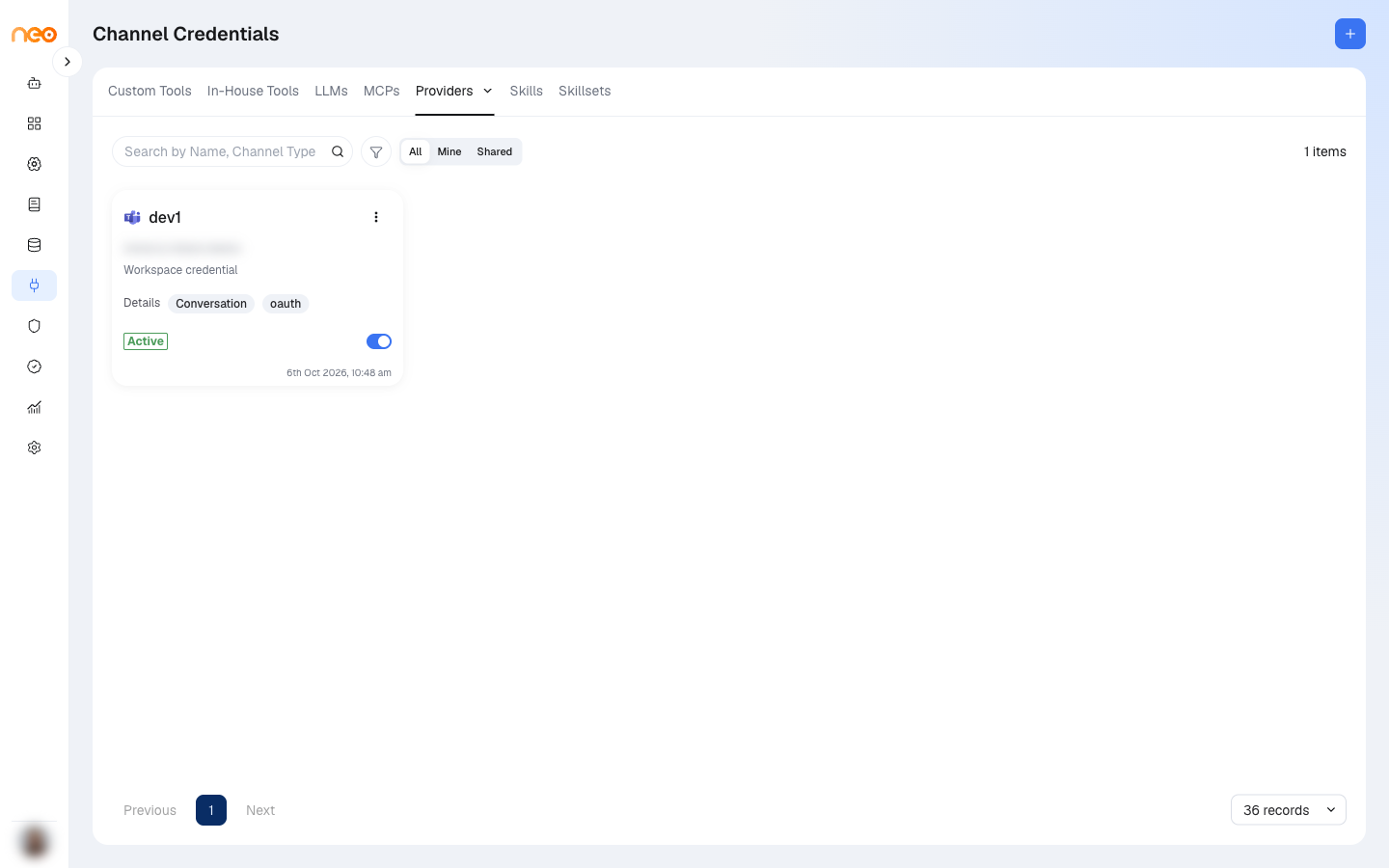
- Channel Credentials — credentials for channels such as Microsoft Teams, Outlook, Telegram, or Google Chat.
- Custom Tool Credentials — OAuth 2.0 credential providers for custom tools. See Credential providers on the Custom Tools page.
Credentials are stored at workspace level and can be reused across agents and Coworkers.
Channel Credentials
Each credential appears as a card showing the channel, whether it is a Workspace credential or a System-managed credential, its owner, and its route and authentication type.
Creating a Channel Credential
Click + (Create Credential):
- Select Channel Type — choose the channel.
- Select Route Type — choose Conversation, Outgoing (notification), or Incoming (trigger).
- Fill in the credential fields for that channel and route, then click Save Credential. The fields for each channel are listed on its channel page.
- For channels that sign in with OAuth, such as Outlook or Zalo, click Authorize with the provider to complete sign-in, then Done — Return to Credentials.
If a route needs no credentials, the panel tells you so and you can choose a different route.
You can also create a credential while adding a channel to an agent or Coworker.
Managing Channel Credentials
- Edit — click a card to open it, change the fields, and click Update Credential. System-managed credentials cannot be edited.
- Enable / disable — use the toggle on the card. A credential that is in use by a channel cannot be disabled.
- Share — choose Share from the card menu to give colleagues access.
- Delete — available to Workspace Admins for workspace credentials.
Use the search box to find a credential by name or channel type, and filter by Channel Type, Created date, and Ownership (All, Mine, or Shared).
Permissions
| Permission | What it allows |
|---|---|
| View Channel Credential | See the Channel Credentials section. |
| Create Channel Credential | Create channel credentials. |
| Edit Channel Credential | Change channel credentials. |
| Delete Channel Credential | Delete channel credentials. |
| View / Create / Edit / Delete Credential Provider | The same actions for custom tool credential providers. |
The Providers tab is shown to users who can view either section.