KPIs & Output Details
The KPIs & Output Details tab defines what to measure on each conversation. It becomes available only after the Co-Worker is published; until then it shows “Publish the coworker to configure output details and KPIs.”
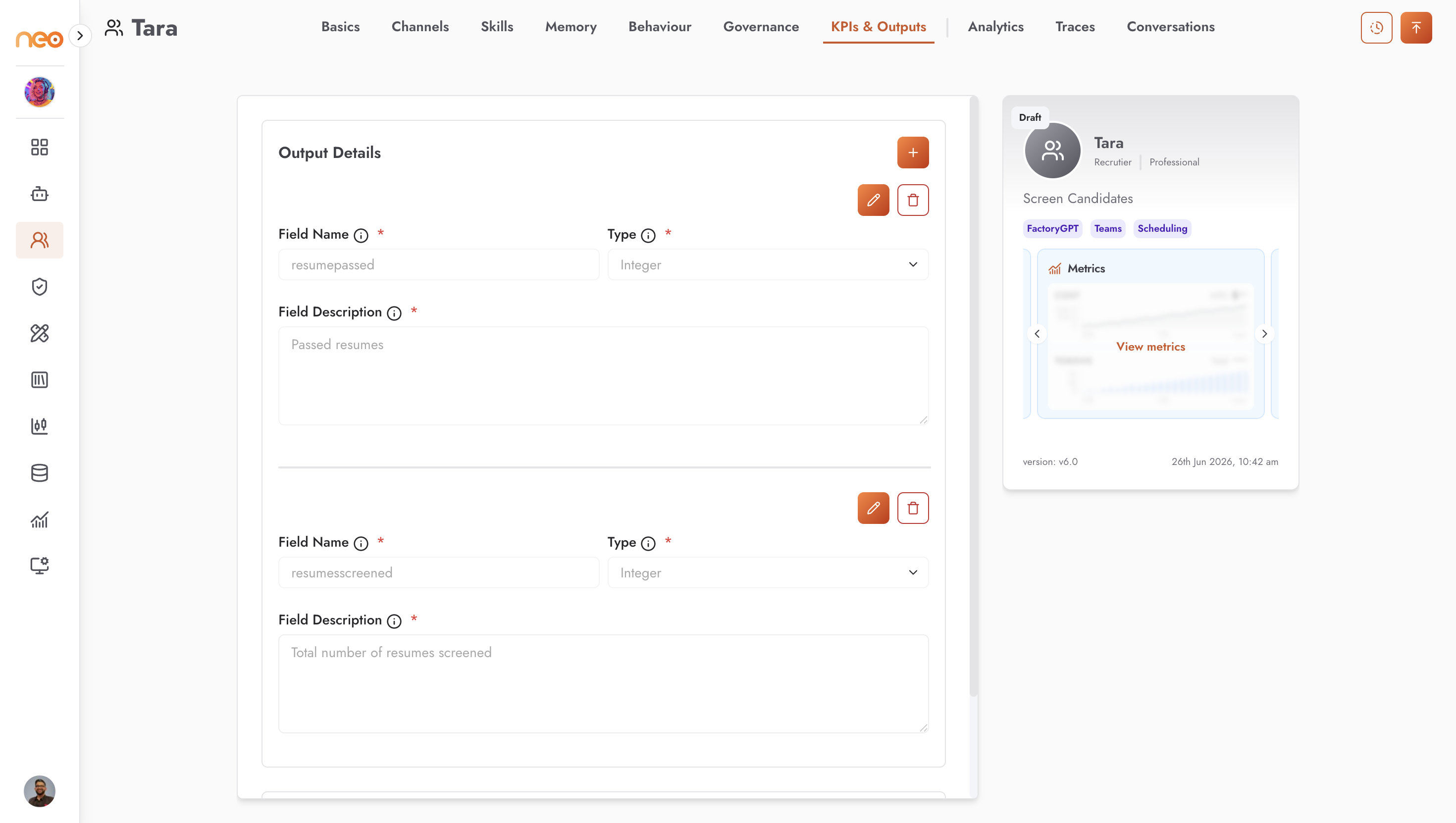
Output Details
Output Details are the structured fields the platform extracts from each conversation. Each field has:
Field Name — lowercase letters, numbers, and underscores only.
Type — one of:
string,integer,number,boolean,array,object,null,date,datetime, orenum.Field Description — what the field captures. This guides the extraction, so be specific.
These fields are the schema your KPIs are built on.
KPIs
A KPI is an expression over your Output Details fields. Each KPI has a name, a field, an operator (which depends on the field’s type), a value, and an aggregation — Count, Sum, Average, Minimum, or Maximum.
The operators available depend on the field type:
Field type |
Operators |
|---|---|
string |
Equals, Contains |
integer / number |
Equals, Greater Than, Less Than |
boolean |
Is True, Is False (no value needed) |
array |
Equals, Contains, Length Greater Than, Length Less Than |
object |
Equals, Contains, Key Count Greater Than, Key Count Less Than |
null |
Is Null, Is Empty |
date / datetime |
Equals, After, Before, Contains, Is Empty |
Sum, Average, Minimum, and Maximum apply to numeric fields only; Count is always available.
After each conversation, the platform extracts the field values from the transcript and stores the results. They surface on the Conversations tab and the Analytics dashboard — see Observability.
Note
KPIs are expression-based metrics surfaced as results. To grade a Co-Worker’s answers against expected outputs, use Evaluations instead.