Basics & Identity
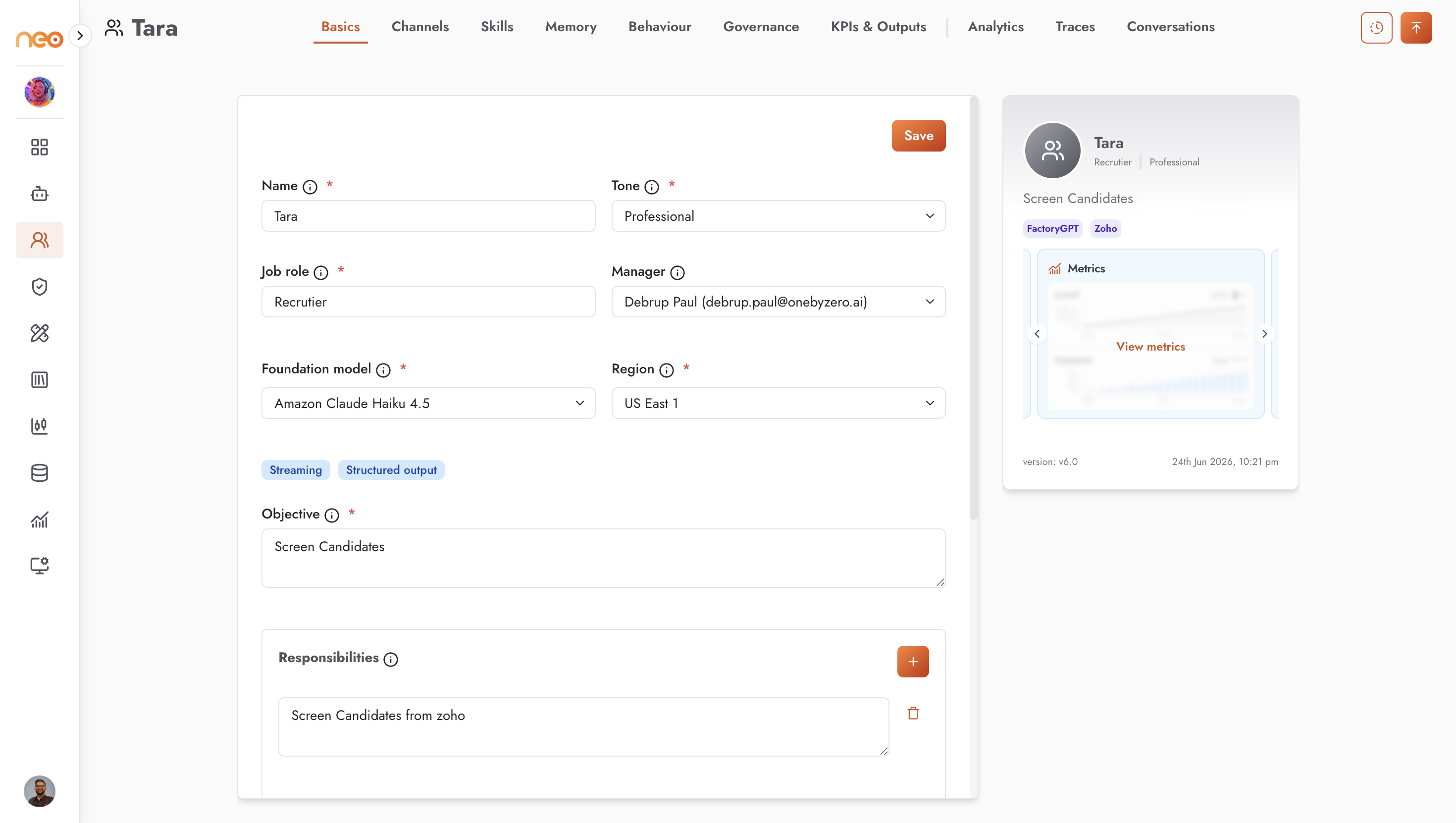
The Basics & Identity tab defines who the Co-Worker is. Everything you enter here shapes how it understands its job and talks to people, so it is worth being specific. Basics is the only tab available before the Co-Worker is saved, and it holds the five fields required to create one.
Steps
Enter the Name, choose a Tone, and enter the Job role.
Select a Foundation model (and a Region, if the model offers more than one).
Write the Objective, then add Responsibilities, In / Out of scope, and Persona & principles.
Save.
Fields
Field |
Required |
What to enter |
|---|---|---|
Name |
Yes |
The display name used across the builder, channels, and conversations. Must be unique within the workspace. |
Tone |
Yes |
The Co-Worker’s communication style. One of: Empathetic · Firm, Professional, Friendly, Concise & direct, or Warm & reassuring. |
Job role |
Yes |
A human job title — not a project or a technology. For example, “IT Helpdesk Specialist”. |
Foundation model |
Yes |
The LLM the agent runs on, chosen from the models enabled in your workspace. A Region dropdown appears when the selected model is available in more than one region. Capability tags — Default, Streaming, Structured output — show what the model supports. |
Objective |
Yes |
A one-line mission that anchors the instructions. For example, “Resolve common IT requests at first contact and escalate cleanly”. |
Manager |
No |
A workspace member recorded as the Co-Worker’s owner. The manager may be notified when behaviour limits or approval rules are triggered, so it is more than an organisational label. |
Responsibilities |
No |
A list of what the Co-Worker owns. Use + to add each item. |
In scope / Out of scope |
No |
Short statements of remit. For example, an out-of-scope entry such as “Hardware procurement, payroll” keeps the Co-Worker from straying into areas it should not handle. |
Persona & principles |
No |
Voice traits and judgment rules expressed as instructions — for example, “Clear and patient. Never change access or security settings without explicit human approval.” |
Tip
The Objective, scope, and principles directly shape how the Co-Worker behaves. Clear, specific wording here makes more difference than anything else on this tab.
How These Fields Are Used
Each field plays its part: the objective sets the mission, responsibilities and scope define what the Co-Worker takes on, and persona and tone shape how it communicates. The do-and-don’t rules from the Behaviour tab act as firm limits on top. After publishing, you can review how it all comes together with View your orchestrating agent.
Note
Coming soon — Handles. A Handles section is planned for the Basics tab, where you will add the email (and, later, phone) identities a Co-Worker uses to send and receive on its channels. This control is not yet available in the builder; until it ships, configure addresses directly on the relevant Channel.