Overview
OneByZero Neo is an enterprise AI agent platform that enables organisations to design, build, deploy, and govern AI agents at scale. Built natively on AWS, Neo provides the infrastructure, tooling, and governance controls that enterprise teams need to operationalise AI with confidence — across banking, telecommunications, retail, and other regulated industries.
Who is Neo for?
Neo is designed for enterprises that need to move beyond AI experimentation and into production. It is built for organisations that require security, auditability, and measurable business outcomes from their AI investments.
- Banking and Financial Services
Automate underwriting, compliance checks, customer onboarding, and advisory workflows while maintaining full audit trails and regulatory controls.
- Telecommunications
Handle high-volume customer service, automate service provisioning, and run outbound campaigns across voice and messaging channels at scale.
- Retail and Consumer
Deliver personalised customer experiences across WhatsApp, web, and social channels, and automate back-office processes such as returns, inventory queries, and supplier communication.
- Enterprise Operations
Build internal AI agents for HR, IT support, data analysis, and process automation — deployed inside your own AWS environment with no data leaving your control.
Three Agent Modalities
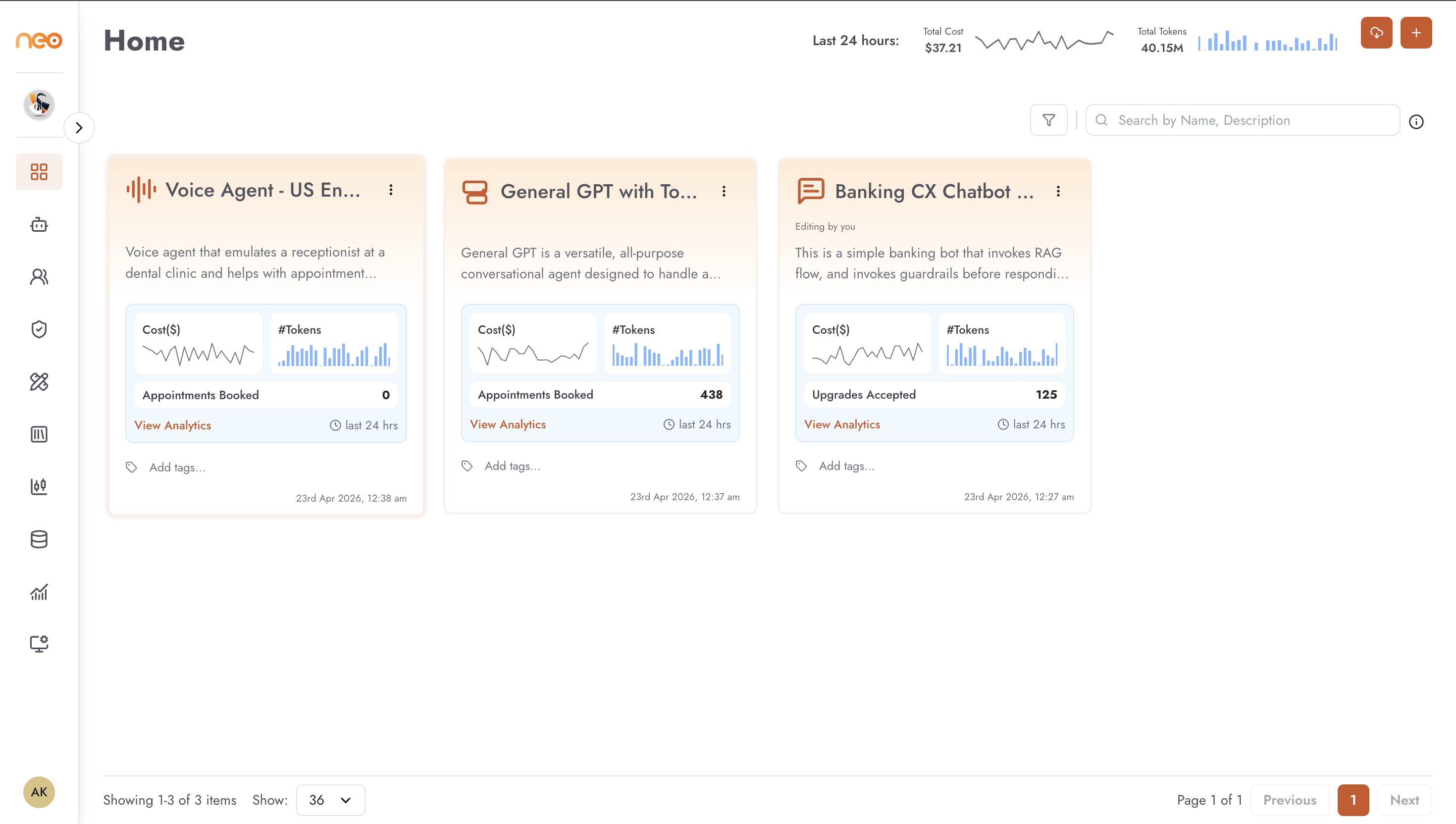
Neo supports three ways to build agents, each suited to different use cases:
- Chatbot
A rule-guided conversational agent built using a visual flow editor. Conversation logic is defined as a sequence of blocks — inputs, conditions, LLM calls, and outputs. Best suited for structured customer interactions, FAQs, and guided workflows.
- Agentic Flow
A reasoning agent built as a directed graph of components — LLMs, tools, memory, retrievers, and logic nodes. Capable of multi-step reasoning, tool use, and autonomous decision-making. Best suited for complex, open-ended tasks that require judgement.
- Voice Agent
An agent that operates over phone calls, using speech-to-text and text-to-speech to handle inbound and outbound conversations via telephony integration. Best suited for call centre automation, outbound campaigns, and voice-first workflows.
Digital Co-Workers
Alongside the three agent builders, Neo offers Digital Co-Workers — a distinct construct, not a fourth modality. A Digital Co-Worker is a configurable AI colleague that operates across channels, remembers context across sessions, and chooses the right skill for each request at run time. Rather than producing one agent of a single kind, a Co-Worker is assembled from skills — which can include agents you have already built in the three modalities — and is governed with guardrails and human-in-the-loop approvals.
See Digital Co-Workers for the full guide.
Key Capabilities
Three agent modalities — Chatbot, Agentic Flow, and Voice Agent, all from a single platform
Digital Co-Workers — configurable AI colleagues that work across channels, draw on multiple skills, and run within the boundaries you set
15+ deployment channels — WhatsApp, Telegram, Slack, Microsoft Teams, Facebook Messenger, Viber, Zalo, Jira, Email, and more
Knowledge Bases — in-house vector stores or Amazon Bedrock-managed knowledge bases for accurate retrieval-augmented generation (RAG)
Guardrails — safety and compliance rules defined in the Foundry and configured at the agent level
20+ MCP Tools — pre-built integrations including web search, SQL generation, LinkedIn, Salesforce, image generation, file system, S3, and browser automation
Neo Code Agents — bring agents you have built and hosted yourself under the platform’s access control, versioning, and monitoring
Datasets and Evaluations — test datasets and structured evaluation runs using DeepEval or Amazon Bedrock judges
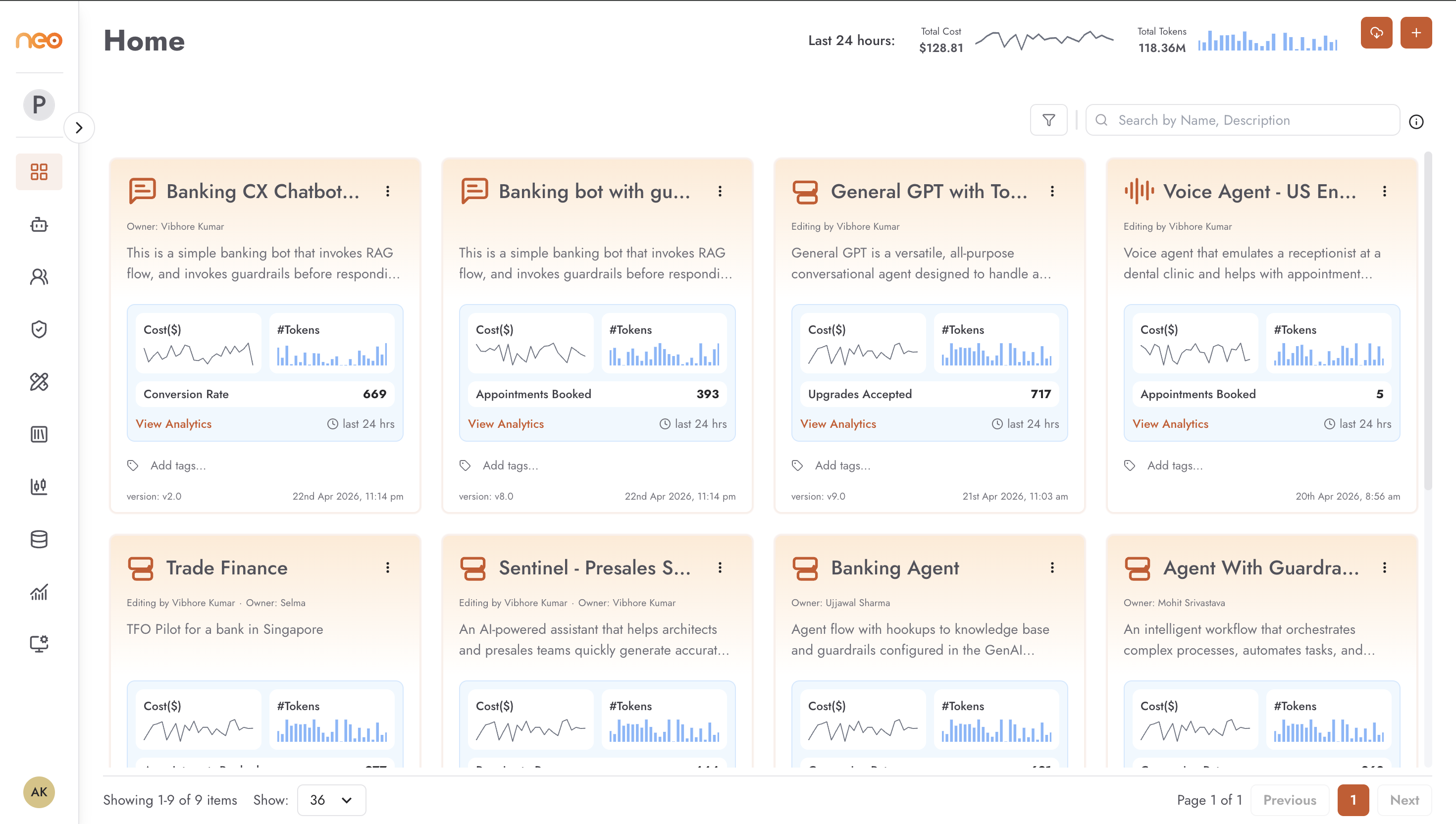
Command Center — real-time monitoring, conversation history, LLM traces, analytics, and audit logs across every agent
Multi-workspace with role-based access control — isolated team environments with fine-grained permissions
KPI and cost tracking — custom KPIs and real-time token cost visibility per agent
AWS-native deployment — runs entirely within your AWS account, SOC 2 Type II compliant
Platform Architecture
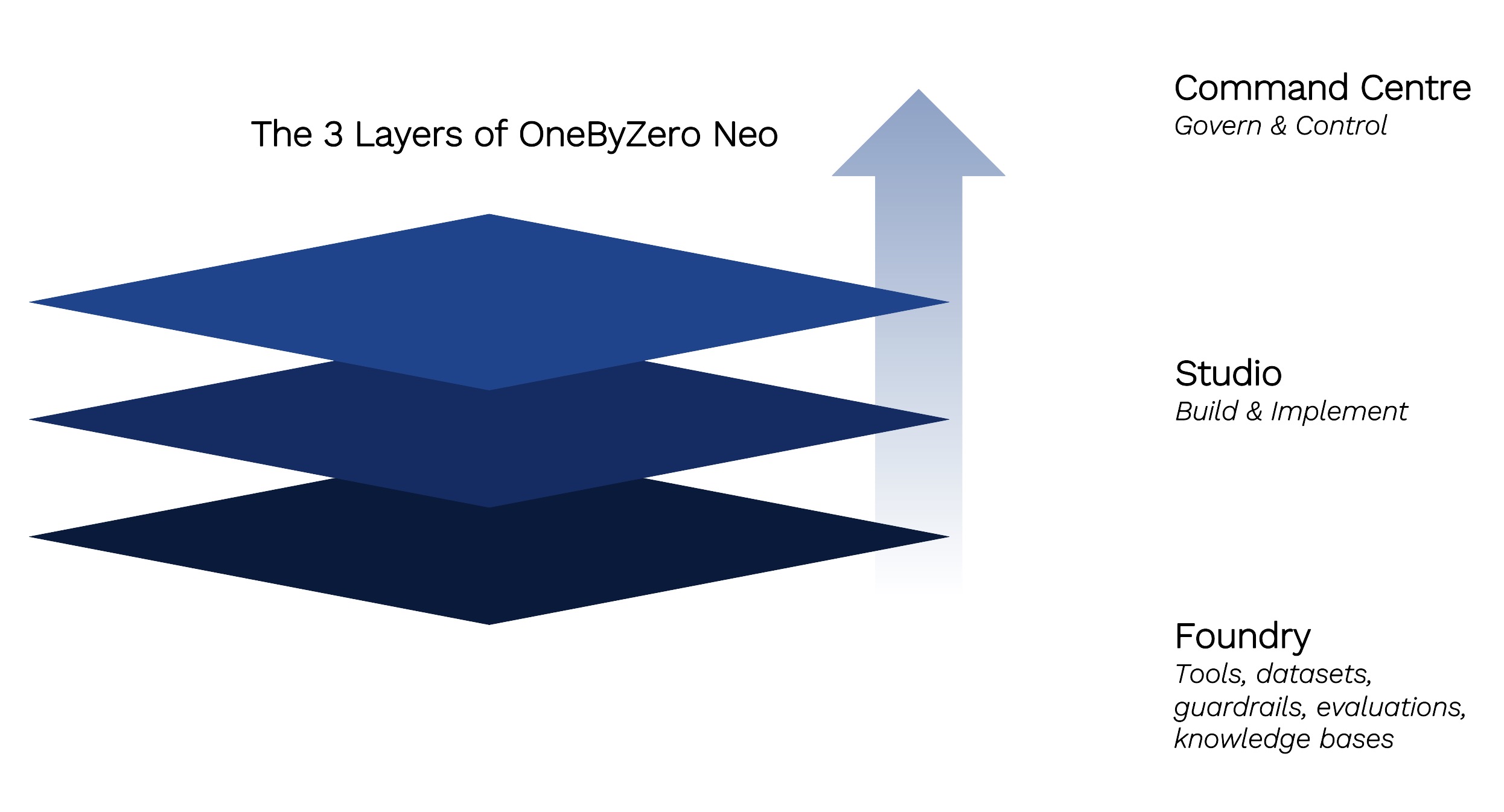
OneByZero Neo is structured as three layers, each with a distinct responsibility.
- The Foundry
The foundation layer, owned by platform teams. Shared, reusable resources — knowledge bases, guardrails, MCP tools, datasets, and evaluation frameworks — are created once here and made available to every agent across workspaces.
- The Studio
Where agents are built, tested, and published. AI engineers and business teams define agent behaviour, attach knowledge bases and tools, configure guardrails, and publish to production channels.
- The Command Center
Operational oversight across all live agents. Administrators and business leaders get visibility into agent activity, conversation history, LLM traces, analytics, and cost — in real time.
Glossary
Key terms used throughout this documentation.
- Workspace
An isolated environment for a team or project, with its own members, agents, and resources.
- Chatbot
An agent built using a visual flow editor, where conversation logic is defined as a sequence of blocks.
- Flow Agent
An agent built as a directed graph of components — LLMs, tools, memory, and logic — capable of multi-step reasoning and autonomous action.
- Voice Agent
An agent that handles phone calls using speech-to-text and text-to-speech with telephony integration.
- Neo Code Agent
An agent whose logic runs in a service you build and host yourself, registered into Neo so the platform can route requests to it and apply access control, versioning, and monitoring. Labelled Remote Agent in the interface.
- Digital Co-Worker
A configurable AI colleague that works across channels, draws on multiple skills, and runs within the boundaries you set. Published as a single orchestrating agent.
- Skill
A capability a Digital Co-Worker can use — a reusable tool (MCP/API), an agent exposed as a skill, or a Markdown (SKILL.md) skill — chosen at run time from its description.
- Foundry
The platform layer where shared resources — knowledge bases, tools, guardrails, and evaluations — are created and managed.
- Studio
The platform layer where agents are designed, configured, tested, and published.
- Command Center
The platform layer for monitoring, governing, and auditing live agents in production.
- Knowledge Base
A repository of documents and data that agents can retrieve from to answer questions accurately.
- Guardrail
A safety or compliance rule applied to an agent’s inputs and outputs, configured at the agent level.
- MCP Tool
A pre-built integration — such as web search, SQL query, or file system access — that an agent can invoke as a skill.
- Channel
A communication platform (e.g. WhatsApp, Slack, Microsoft Teams) through which an agent is deployed to end users.
- Dataset
A collection of test cases with expected outputs, used to evaluate agent quality.
- Evaluation
A structured test run that measures an agent’s responses against a dataset using scoring metrics.
- LLM Trace
A detailed log of every LLM call made during a conversation, used for debugging and auditing.
- Simulation
A test run where an agent is exercised against predefined prompts in a controlled environment before going live.
- NeoGPT
The built-in chat interface within Neo for testing and interacting with agents during development.