Publishing and Versioning
Publishing is a single action that snapshots the Co-Worker’s current configuration and deploys it.
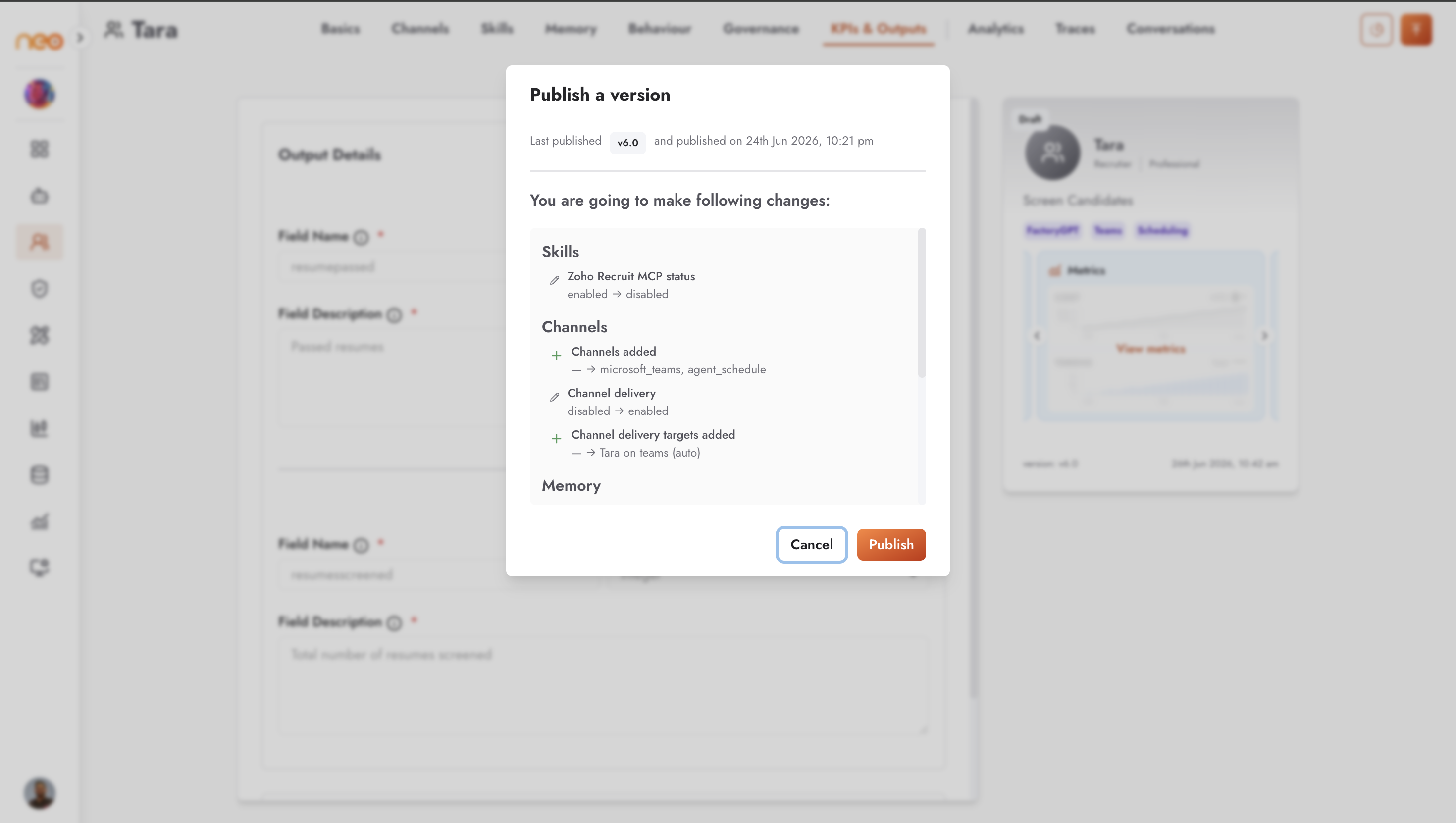
Click Publish. A Publish a version dialog shows a diff of what changed since the last published version, across Basics, Skills, Channels, Memory, Behaviour, Governance, and KPIs & Outputs.
A version snapshot is created — versions are numbered 1, 2, and so on.
The Co-Worker is deployed and connected to its channels, and its status becomes Active.
Note
Publishing requires the Deploy permission. If the configuration fails to compile, the publish still records the version and stores the failure reason on it, so you can see what went wrong and fix it.
Viewing and Restoring Versions
Use the version control in the top bar to view any prior version read-only, or to restore one. Restoring loads that snapshot back as the current draft; you then Publish again to make it live.
View Your Orchestrating Agent
After at least one successful publish, a View your orchestrating agent button opens the Co-Worker in the Agentic Flow editor, where you can see exactly how it was built — the agent, its skills, any approval steps, and its channels. See How a Co-Worker Runs for how these pieces work together when it runs.