Workspace Analytics
Workspace Analytics gives Workspace Administrators visibility into token consumption and cost for agents running within their workspace. Unlike the platform-level analytics available to Super Administrators, this view is scoped entirely to the current workspace.
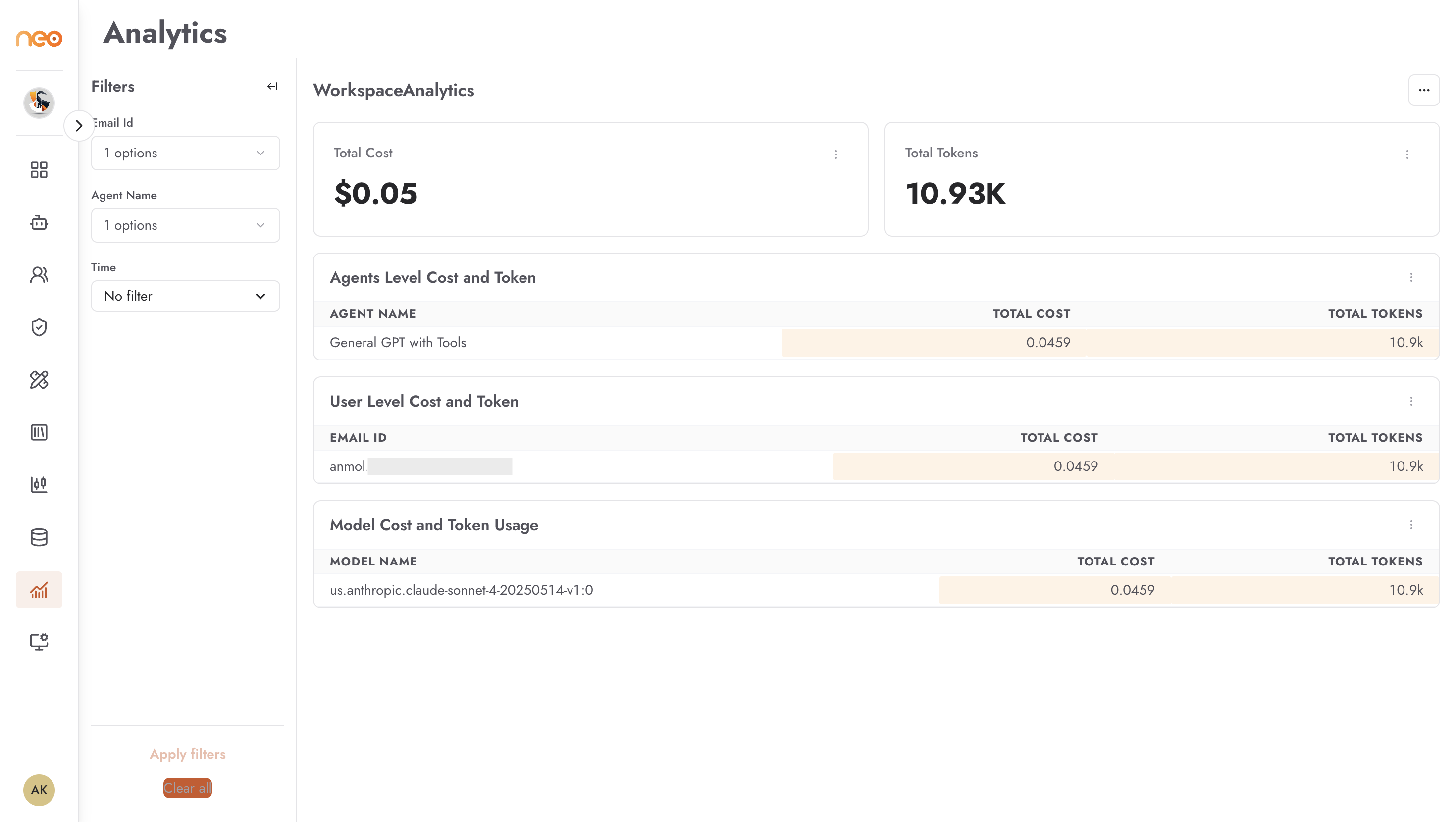
The workspace analytics dashboard typically shows:
Total Cost — cumulative spend for the workspace over the selected time period
Total Tokens — total token consumption by agents in the workspace
Per-agent breakdown — cost and token usage attributed to individual agents, useful for identifying which agents are driving consumption
Time-series charts — daily cost and token trends over the selected period
Filtering
Use the available filters to scope the view:
Time range — select the period you want to analyse
Agent Name — narrow to a specific agent
Use workspace analytics to:
Monitor costs before they escalate
Identify agents with unexpectedly high token usage
Provide usage data to stakeholders for budgeting or chargeback purposes
For platform-wide analytics across all workspaces, see Platform Analytics.