Roles and Permissions
The Roles tab lets Workspace Administrators define what members can do within the workspace. Every member is assigned a role; a role is a named collection of permissions. OneByZero Neo provides granular, per-resource permissions so you can create roles tailored to specific responsibilities.
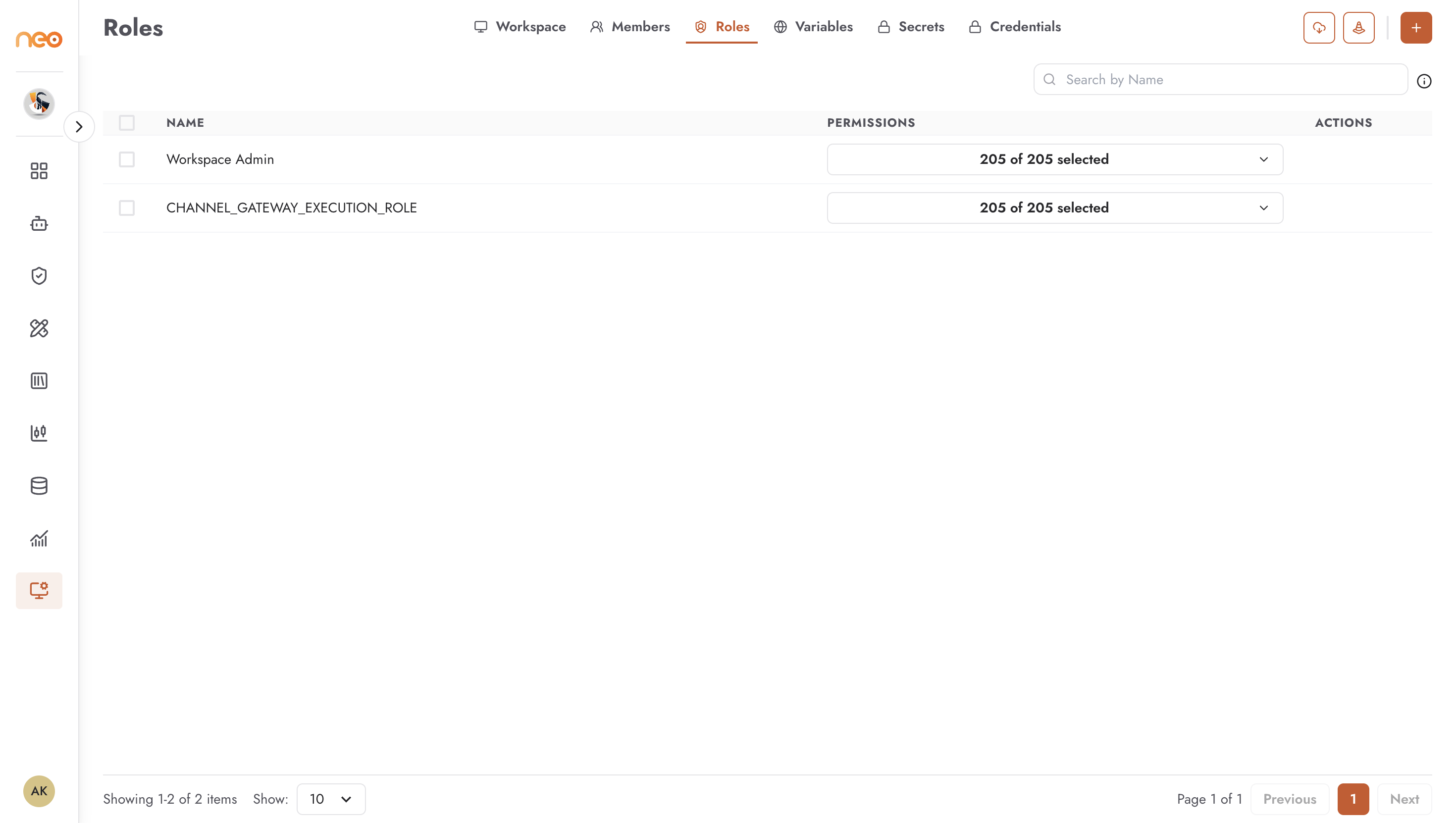
The roles list shows:
Name — the role name (e.g., Admin, Limited Role)
Permissions — how many permissions are selected out of the total available (e.g., 180 of 180 selected for full access, 9 of 180 selected for a restricted role)
Actions — menu for editing or deleting the role
Creating a Role
Click + Create Role to define a new role.
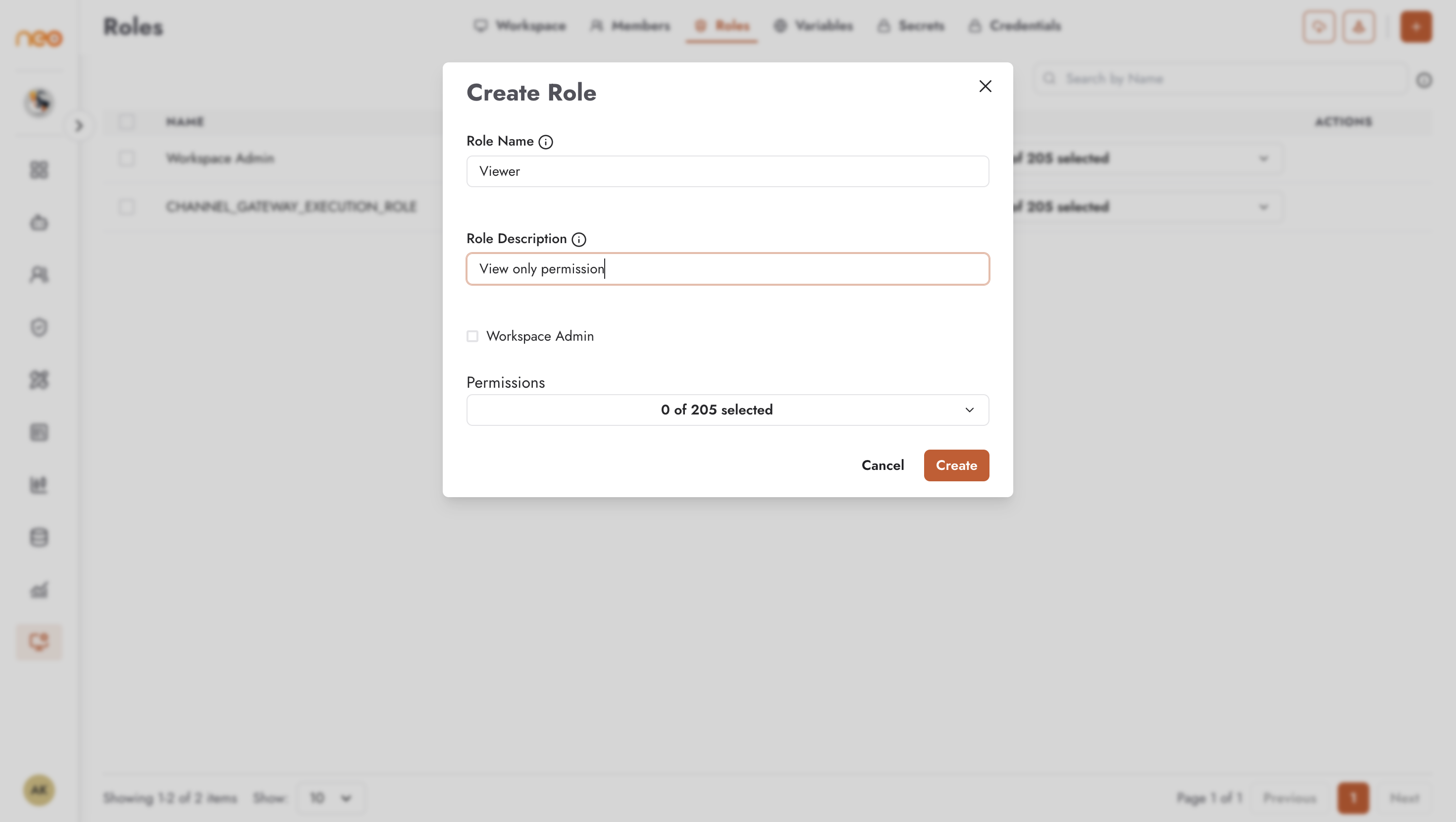
Fill in:
Role Name — a name that signals the role’s purpose (e.g., “Agent Builder”, “Read Only”, “Analytics Viewer”)
Role Description — optional; helps other admins understand who should be assigned this role
Permissions — select individual permissions from the full list, or use Select All Permissions to grant unrestricted access
Permission categories include:
Knowledge Bases — create, read, update, and delete in-house and Bedrock knowledge bases
Workspace — access and modify workspace settings
Voice Agent — create and manage voice agents and their telephony channels
Chatbot / Agentic Flow — build, publish, and manage each agent type
Command Center — view conversation history, LLM traces, analytics, and audit logs
Members and Roles — invite members, assign roles, modify role definitions
And many more categories covering all Neo functionality
Design roles around the principle of least privilege: users should have only the permissions required for their job, nothing more.
Editing and Deleting Roles
Open the Actions menu for any role to edit or delete it. Changes to a role apply immediately to every member currently assigned that role — there is no delayed propagation.
Before deleting a role, ensure no members are still assigned to it, or reassign them to an alternative role first.
Best Practices
- Design roles around job functions
Create one role per distinct job function rather than one role per person. Role names like “Agent Builder”, “Analytics Viewer”, and “Read Only” scale better than individual roles and make membership audits easier.
- Least privilege
Start with the minimum permissions a job function requires and add more only when a specific need arises. It is straightforward to add permissions later; discovering over-privileged roles after an incident is far more disruptive.
- Test roles before assigning broadly
After creating a new role, assign it to a test account and verify that the expected permissions work and that restricted actions are properly blocked before rolling it out to real users.