Credentials
The Credentials tab is where Workspace Administrators create and manage API credentials for programmatic access to the workspace. An API credential gives an external system or application the ability to authenticate against the OneByZero Neo API and interact with agents in this workspace without requiring a user login.
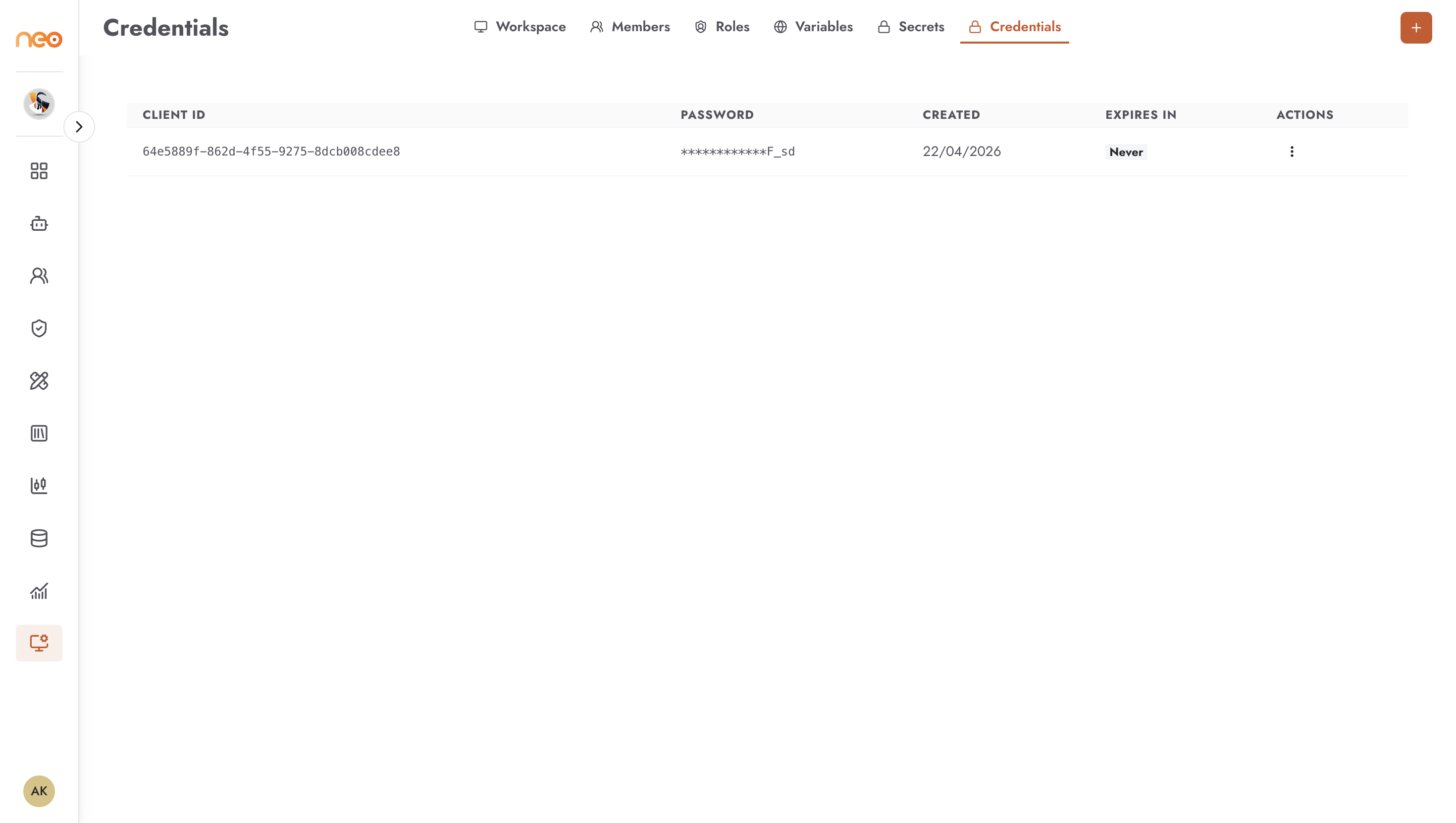
Each credential consists of:
Client ID — a unique identifier for the credential, generated by the platform
Password — a secret value generated at creation time and shown only once; copy it immediately as it cannot be retrieved later
Role — the workspace role assigned to this credential; the credential can only perform actions permitted by that role
Expires In — how long the credential remains valid, specified in hours at creation time (minimum 1 hour, maximum 8760 hours / 365 days)
Status — whether the credential is currently active or expired
A workspace can hold a maximum of 5 credentials at a time.
Creating a Credential
Click + Add Credential (the plus icon in the top-right corner) to open the creation form.
Fill in:
Expires In (Hours) — the number of hours the credential should remain valid
Role — the workspace role to assign to this credential; the credential will only be able to perform actions allowed by this role
Click Create. The generated Client ID and Password are shown once immediately after creation. Copy both values and store them securely — the password cannot be retrieved or displayed again after this screen is dismissed.
Using a Credential
Pass the Client ID and Password as authentication when making API calls to the OneByZero Neo API. The credential authenticates the caller as a machine identity operating under the permissions defined by its assigned role.
For the API endpoint and code examples for your workspace, see the API Access tab within any agent.
Managing Credentials
Edit — update the role assigned to a credential (for example, to restrict permissions after initial setup)
Delete — revoke a credential immediately; any system using it will lose access at the next API call
Note
Credentials are distinct from Secrets and Variables. Secrets store raw sensitive values (passwords, tokens) for agents to use at runtime. Variables store plain configuration values. Credentials are authentication identities for external systems calling the OneByZero Neo API.
Best Practices
- Assign the minimum required role
When creating a credential, select the role with the narrowest permissions sufficient for the integration’s needs. A credential used only to trigger an agent does not need admin-level access to the workspace.
- Set appropriate expiry
Use short expiry windows for temporary integrations or testing. For production integrations, set an expiry that aligns with your organisation’s credential rotation policy and calendar a reminder to rotate before expiry.
- Rotate credentials regularly
When a credential nears expiry or a team member who managed the integration leaves, create a replacement credential and update the downstream system before deleting the old one to avoid service interruptions.
- Store the password immediately
The password is shown only once at creation. If it is lost, the credential must be deleted and recreated. Never leave the creation screen without copying the password to a secure location.