
OneByZero Neo provides two mechanisms for storing configuration data that agents use at runtime: Variables for general configuration values, and Secrets for sensitive values. Both are under the Secrets menu in Workspace Settings: AWS Secrets Manager, HashiCorp Vault, and Variables.
Variables
Variables are named values that agents can reference during execution. They suit configuration values that may change between environments or that you want to manage centrally rather than hardcoding into individual agents.
The variables list shows the Name, Agent Type, Type, and Value of each variable. Filter by Agent Type, or search by name and type.
Creating a Variable
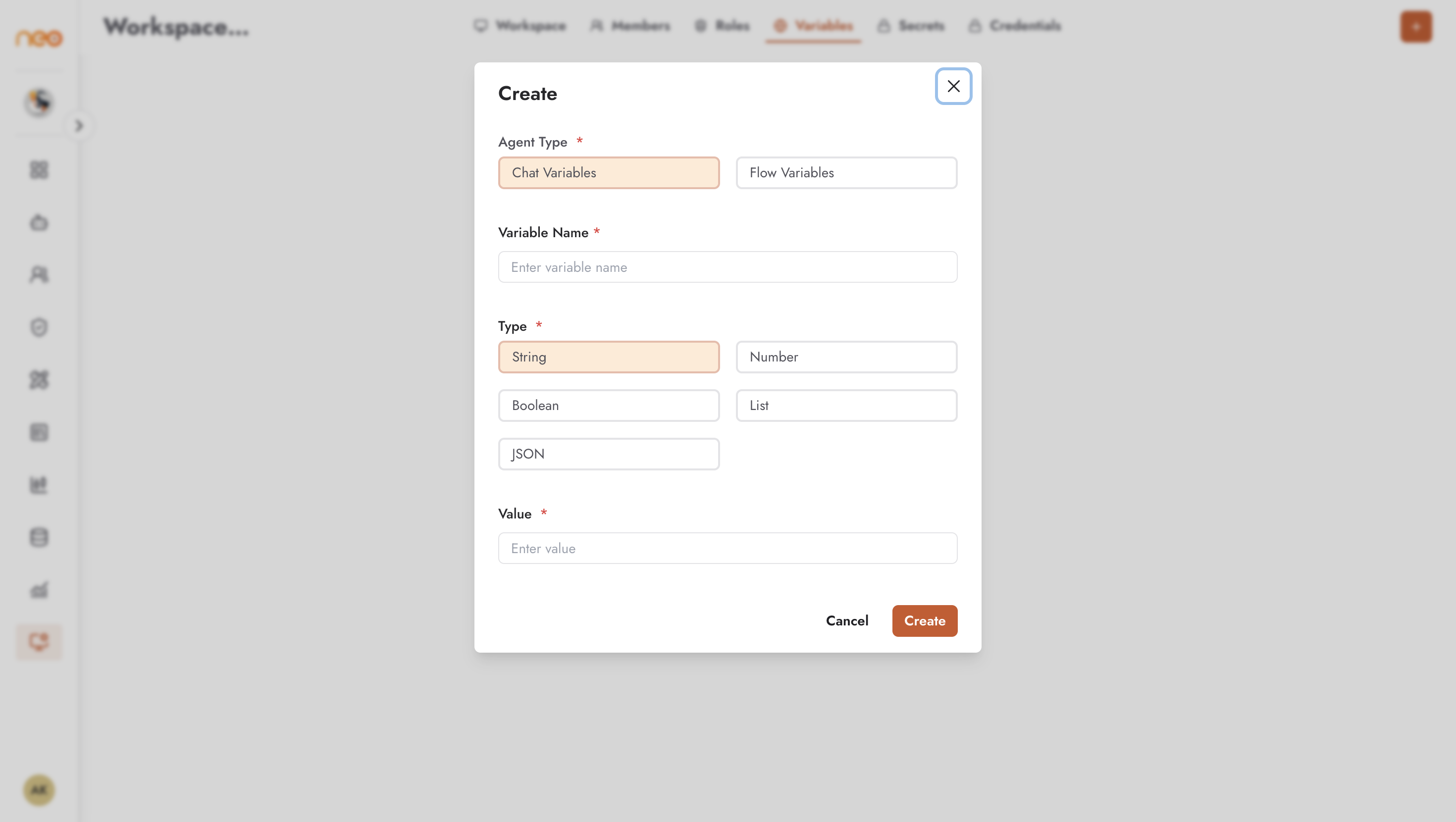
Click + (Create Variable) and fill in:
- Agent Type — Chat Variables, Flow Variables, or Voice Variables: which kind of agent can use the variable.
- Variable Name — a descriptive name following a consistent naming convention. Required.
- Type — for Flow variables, Credential or Generic; for Chat and Voice variables, String, Number, Boolean, List, or JSON.
- Value — required. Number, List (a JSON array), and JSON values are checked when you save.
The agent type and type cannot be changed after the variable is created.
Common uses for variables:
- API endpoints — base URLs for external services
- Environment configuration — values that differ between staging and production
- Integration parameters — connection details for enterprise systems
Managing Variables
Use the Actions menu to edit a variable’s value or delete it, or select several variables and delete them together. Changes take effect the next time an agent that references the variable runs.
Secrets
Secrets are for sensitive values — passwords, tokens, and keys — that require stricter handling. They are stored in AWS Secrets Manager or HashiCorp Vault, each with its own section under the Secrets menu.
The secrets list shows:
- Secret Name — a descriptive name for the secret
- Reference — what agents use to access the secret:
[[name]], or[[path/name]]when the secret has a path. Use the copy button to copy it. - Created At — when the secret was stored
Creating a Secret
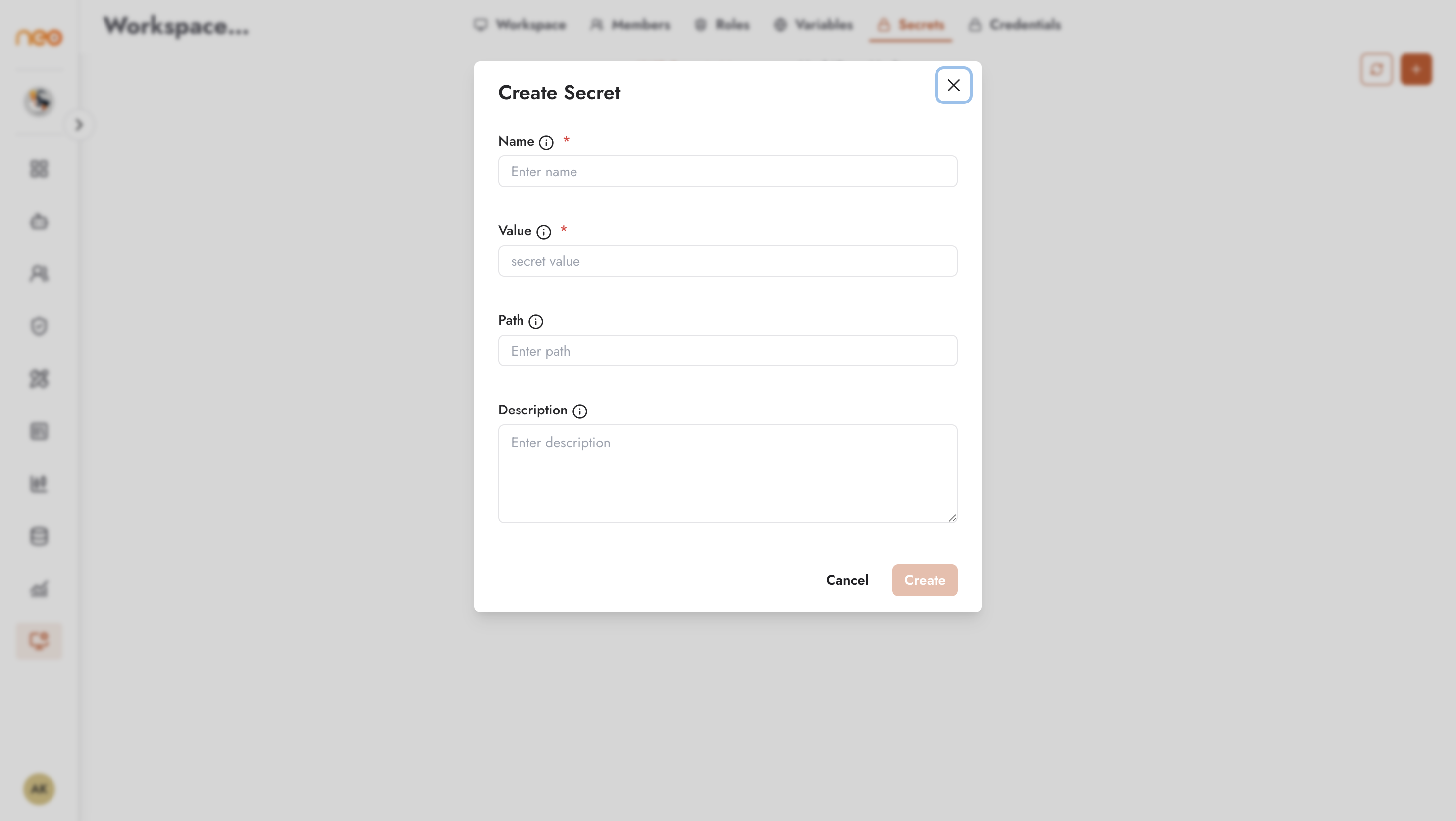
Click + (Create AWS Secret or Create HashiCorp Vault Secret) and fill in:
- Name — letters, numbers,
-,_, and/. Required. - Value — the secret value. Required.
- Path and Description — optional.
- For HashiCorp Vault, also the Vault Address and Vault Token (required), Namespace (optional), Mount Path (default
secret), and KV Version (KV Version 2 (Recommended) or version 1).
Agents reference a secret by its reference rather than the raw value, so the secret value is never embedded in the agent’s configuration.
Managing Secrets
- Edit — change a secret’s value or description.
- Delete — remove a secret, or select several and delete them together.
- Sync — the sync icon in the page header brings the workspace’s list in line with the secret store. For AWS Secrets Manager, choose the secrets to add and click Sync Selected. For HashiCorp Vault, enter the connection details, click Preview Sync to see what will be added, updated, or removed, then click Sync.
When to use Secrets vs Variables
Use Secrets for anything that must not be exposed: database passwords, service account tokens, API keys for high-value services, and encryption keys.
Use Variables for configuration values that are not sensitive — base URLs, feature flags, timeout thresholds — where visibility in the admin UI is acceptable.
Rotate secrets whenever a team member with access leaves the organisation or when there is any suspicion of exposure.
Best Practices
Naming conventions for variables
: Use a consistent naming pattern — for example, SCREAMING_SNAKE_CASE for variables and prefixes that group related values (e.g., SALESFORCE_BASE_URL, SALESFORCE_TIMEOUT). This makes it clear at a glance what each variable is for and which integration it belongs to.
Secrets for anything sensitive : If a value would cause harm if exposed in a browser session or log file — use a Secret, not a Variable. API keys for paid external services, database passwords, and service account tokens all belong in Secrets.
Rotate on personnel changes : Rotate any Secrets that a departing team member had access to. Secrets do not expire automatically — rotation is a manual process that should be part of your offboarding checklist.