
Members → Service accounts in Workspace Settings is where Workspace Administrators create credentials for programmatic access to the workspace. A service account lets an external system or application authenticate against the OneByZero Neo API and work with agents in this workspace without a user login. Service accounts were previously called Credentials.
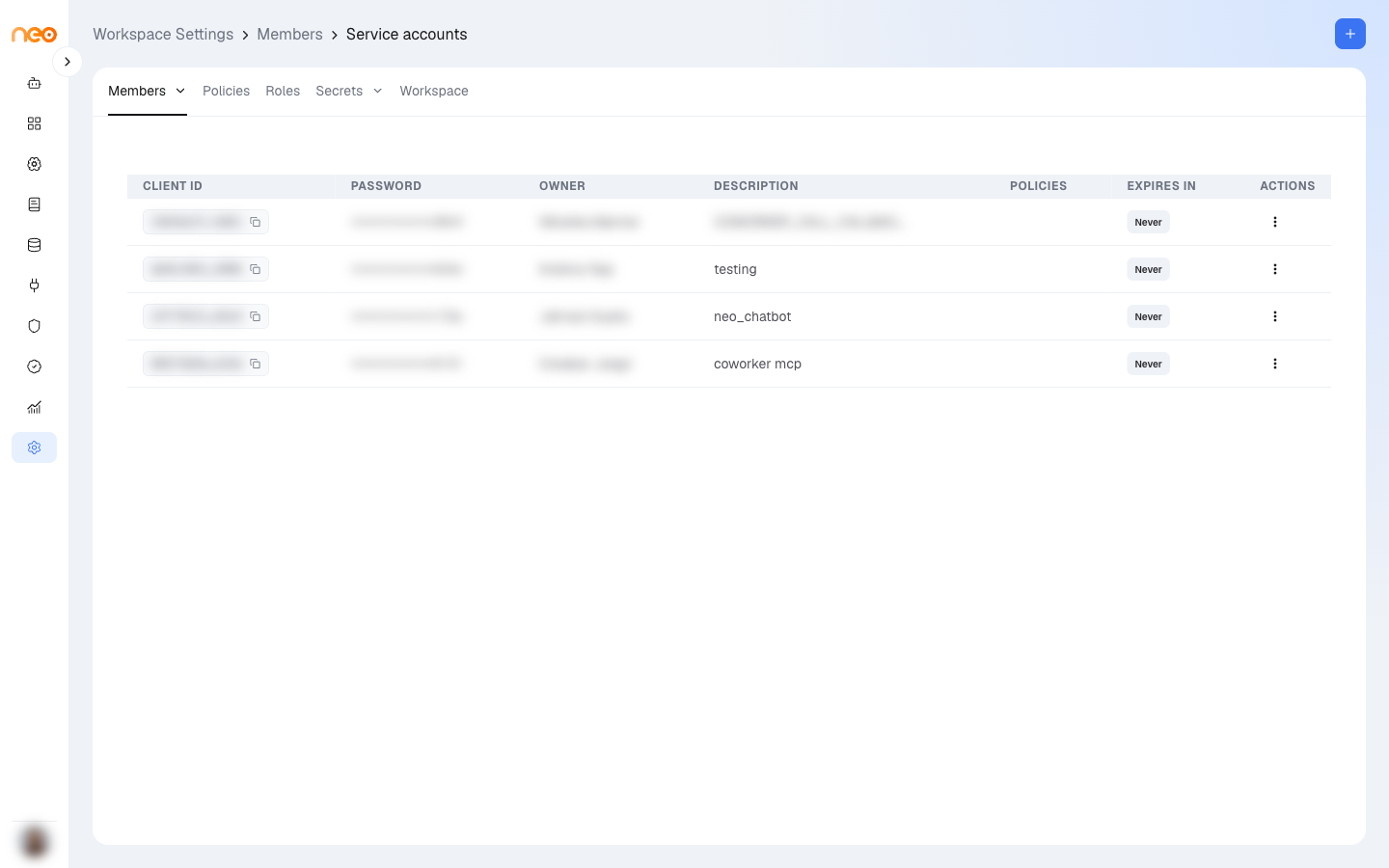
The list shows:
- Client ID — the service account’s identifier, generated by the platform, with a copy button
- Password — masked
- Owner — the member who created it
- Description — what the service account is used for
- Policies — the policies assigned to it (shown to Workspace Admins)
- Expires In — Never, Expired, or the time left; hover to see the expiry date
- Actions — Edit Role and Delete
Creating a Service Account
Click + (Add Service Account) and fill in:
- Role — the workspace role the service account acts with; it can only perform actions that role allows. Required.
- Description — what the service account is for. Required.
- Policies — the policies that decide which resources it can reach. Shown to Workspace Admins when the role is not an admin role. Optional.
- Expiration — Never, 1 day, 7 days, 1 month (default), 3 months, 6 months, or 1 year.
Click Create. The Application Password and API Key (x-api-key header) are shown once. Copy them and store them securely — they cannot be displayed again after you close this screen. The Client ID stays visible in the list.
Using a Service Account
Authenticate API calls to the OneByZero Neo API with the service account’s credentials. The caller acts under the permissions of the service account’s role and the resources allowed by its policies.
For the API endpoint and code examples for an agent, see the API Access tab within that agent.
Managing Service Accounts
- Edit Role — change the role assigned to the service account.
- Delete — revoke the service account immediately; any system using it loses access at its next API call.
Note
Service accounts are distinct from Secrets and Variables. Secrets and Variables store values agents use at runtime. Service accounts are identities for external systems calling the OneByZero Neo API.
Best Practices
Assign the minimum required role and policies : Choose the role with the narrowest permissions sufficient for the integration, and limit its policies to the agents and resources it needs. A service account used only to trigger one agent does not need access to the rest of the workspace.
Set an expiry : Prefer an expiry over Never. Use short expiries for temporary integrations or testing, and for production integrations choose one that matches your organisation’s rotation policy.
Rotate regularly : When a service account nears expiry or the person who managed the integration leaves, create a replacement, update the downstream system, and then delete the old one to avoid interruptions.
Store the password immediately : The password and API key are shown only once. If they are lost, delete the service account and create a new one.