Variables
Variables store values during a conversation — user inputs, API responses, computed results, and system data. Once set, a variable can be referenced in any block in the flow using {{variableName}} syntax.
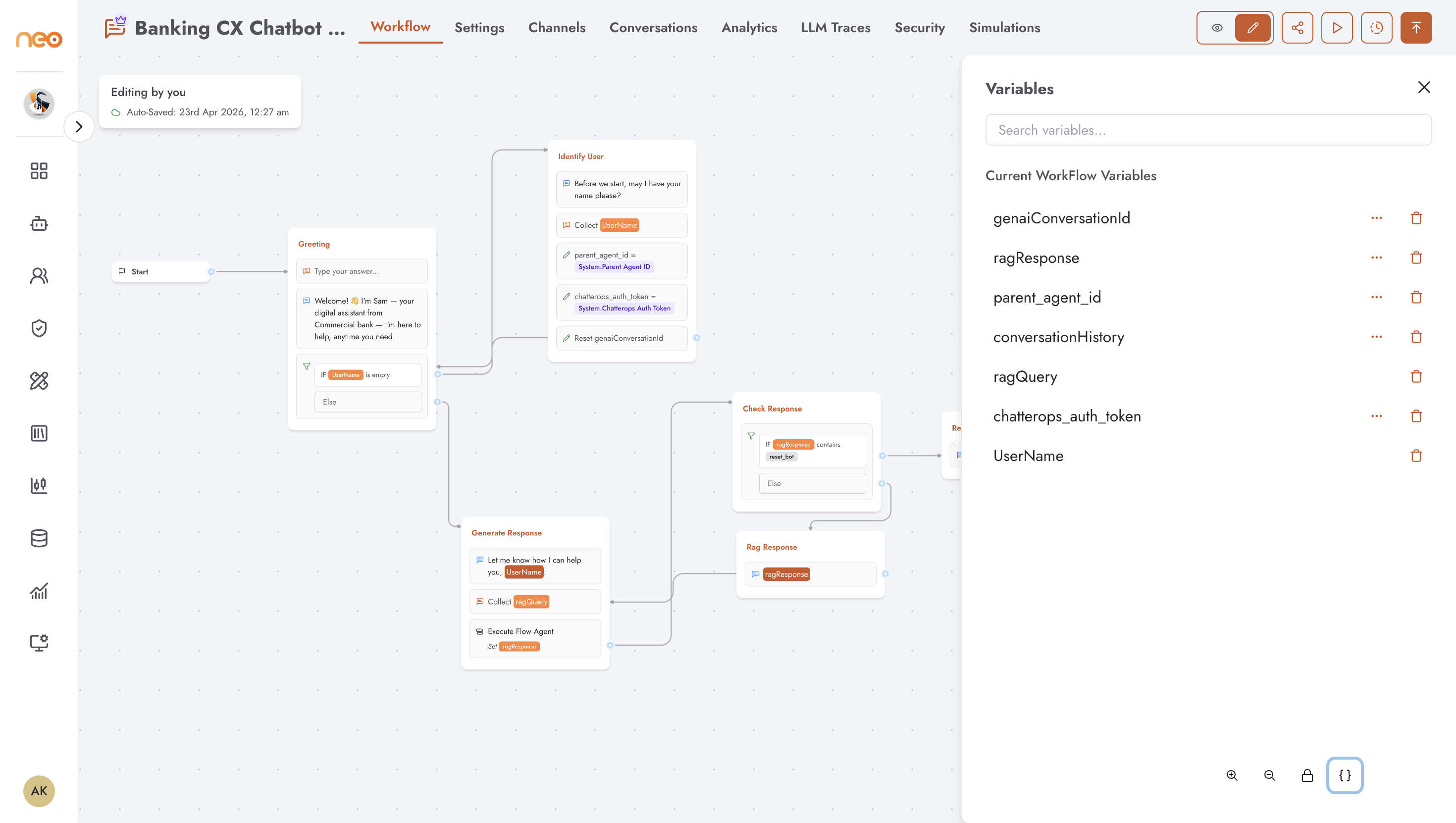
Opening the Variables Drawer
Click the braces icon {} in the bottom-right corner of the canvas (visible in edit mode) to open the Variables drawer. The drawer lists two groups:
Current Workflow Variables — variables defined within this flow, created by Input blocks, Set Variable blocks, or manually in the drawer
Workspace Variables — variables defined at the workspace level, shared across agents in the workspace
Creating a Variable
In the Variables drawer, type a name in the search field and click the + button when no matching variable exists. The new variable is created as a session variable by default.
Alternatively, variables are created automatically when you configure an Input block or a Set Variable block and specify a variable name to save the value into.
Session vs. Persistent Variables
Each flow variable has a Save in results toggle (accessible via the ... menu on the variable row):
Session variable (default) — the value exists only for the duration of the conversation. It is not saved to the results table.
Persistent variable — the value is saved to the results table and can be exported or queried after the conversation ends.
Variables that are directly linked to an Input block answer or set by a session-only Set Variable option cannot be changed to persistent — the toggle is hidden for those.
Referencing Variables in Blocks
Use {{variableName}} anywhere a text field accepts variable references — Text Bubble messages, Input placeholders, Webhook URLs, Set Variable values, Condition comparisons, and more.
The autocomplete in text fields shows available variables as you type {{.
Workspace Variables
Workspace variables are defined at the workspace level and are available to all agents in the workspace. They appear in the Workspace Variables section of the drawer and are read-only within a flow — you can reference them using {{variableName}} but cannot create, edit, or delete them from here.