Testing
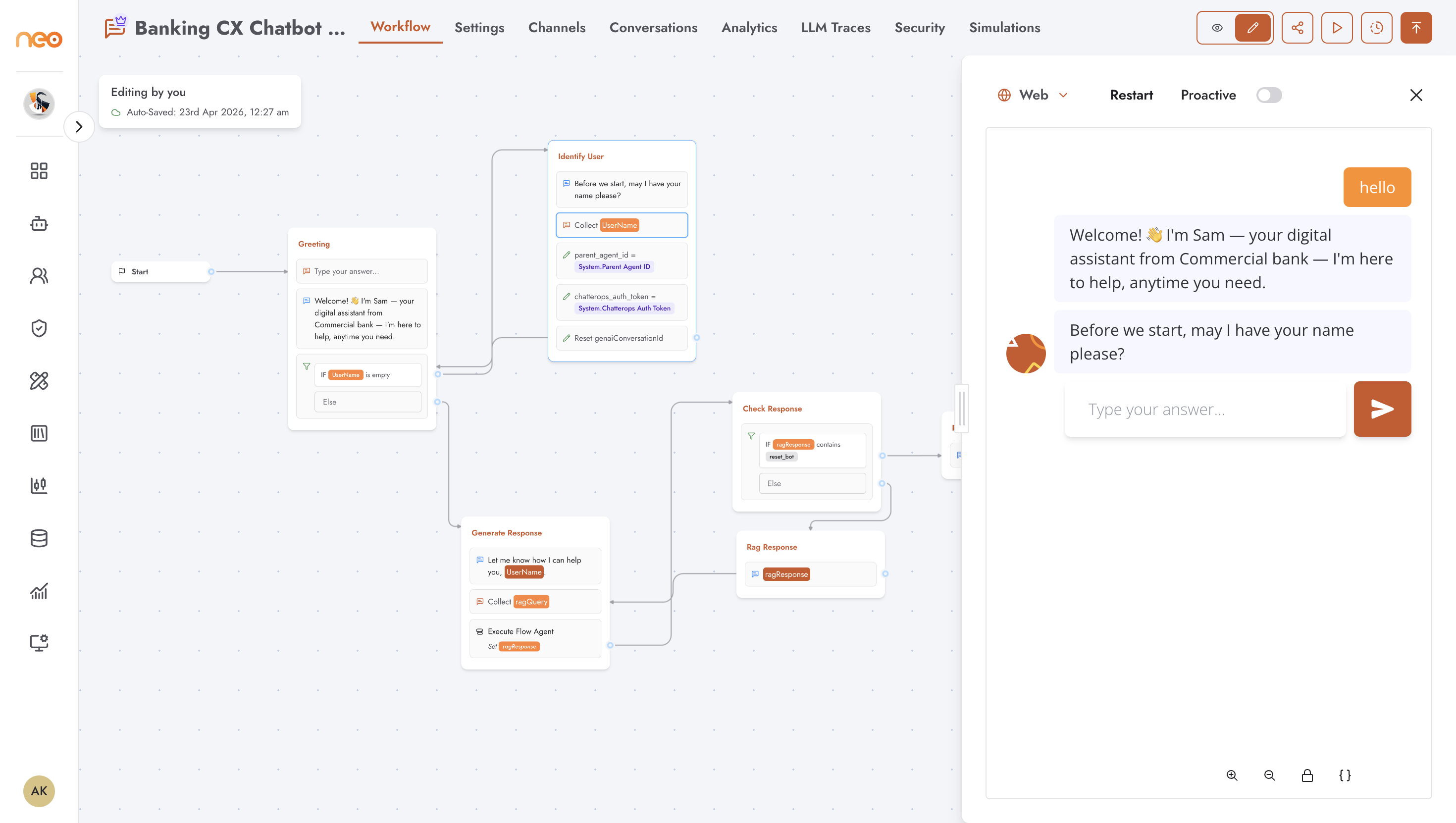
The Playground lets you test the current draft of a chatbot directly from the editor, without publishing. Changes you make to the flow are reflected immediately when you restart the preview.
Opening the Playground
Click the Playground button (play icon) in the top-right of the editor header. A preview panel slides in from the right side of the canvas and loads the chatbot as it currently exists in draft.
To close the preview, click outside the panel or click the Playground button again.
Starting from a Specific Group
To test a particular part of the flow without stepping through the entire conversation from the beginning:
Click a group on the canvas to select it
Click the play icon in the small toolbar that appears above the group
The Playground opens and starts the conversation from that group
This is useful for testing a specific branch or a late-stage group without repeating earlier steps every time.
Restarting the Preview
To restart the conversation from the beginning, close and reopen the preview panel, or make any edit to the flow and reopen it.
Simulations
For more structured testing — running predefined prompt sets against the agent — use the Simulations tab. Simulations let you define a set of test inputs and review the agent’s responses in a consistent, repeatable way.
See the Simulations section for details.