Using Knowledge Bases in Agents
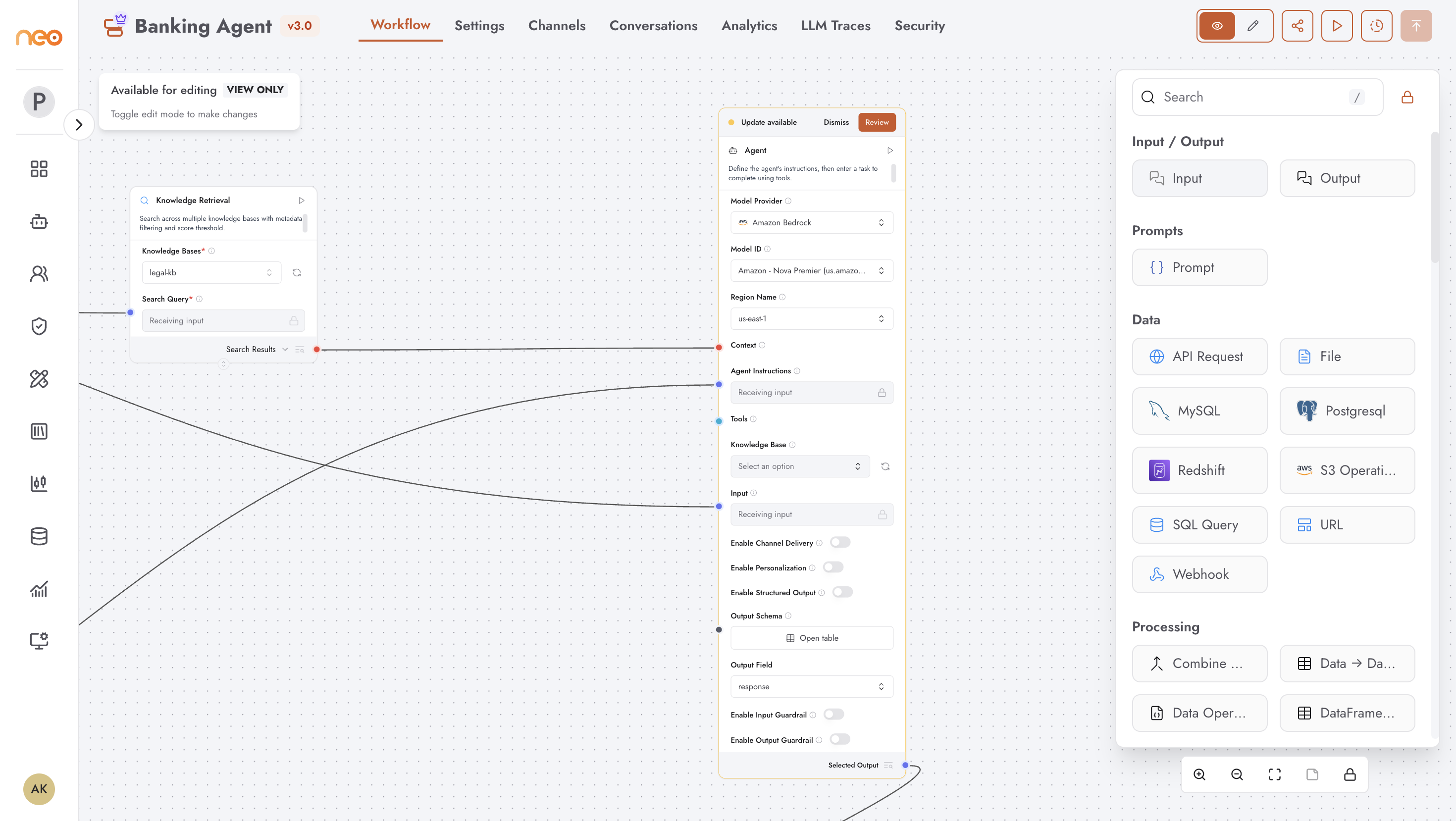
Knowledge bases created in the Foundry are used in Agentic Flow agents via the Knowledge Retrieval component.
Agentic Flow Agents
In the Agentic Flow builder, knowledge bases appear as Knowledge Retrieval components in the component palette. Add a Knowledge Retrieval node and connect it to your LLM node to enable RAG. The node queries the selected knowledge base based on the user’s input and passes the retrieved context to the LLM as part of its prompt.
The Knowledge Retrieval component supports selecting multiple knowledge bases — retrieved results from all selected bases are combined before being passed to the LLM. A Fallback Knowledge Base option is also available: if retrieval from the primary knowledge bases returns no results, the fallback knowledge base is queried instead.
Best Practices
Test retrieval quality before connecting a knowledge base to a production agent. Use the Retrieval Testing panel to verify results for representative queries. See Retrieval Testing.
Keep each knowledge base focused on a single domain or topic. An agent that queries a narrowly scoped knowledge base returns more relevant results than one querying a large, heterogeneous collection.
After updating documents, always re-ingest and re-test before the updated knowledge base serves production traffic. A successful upload without a subsequent ingest leaves the vector index stale.
For organisations with multiple teams, use separate knowledge bases per team or use case rather than a single shared mega-knowledge base. This makes updates, access control, and retrieval tuning significantly easier.