Bedrock Guardrails
Bedrock guardrails integrate OneByZero Neo with AWS Bedrock Guardrails — Amazon’s managed service for applying safeguards to generative AI applications. Rather than using a prompt-based approach, Bedrock guardrails apply deterministic and ML-based filters that are maintained and updated by Amazon.
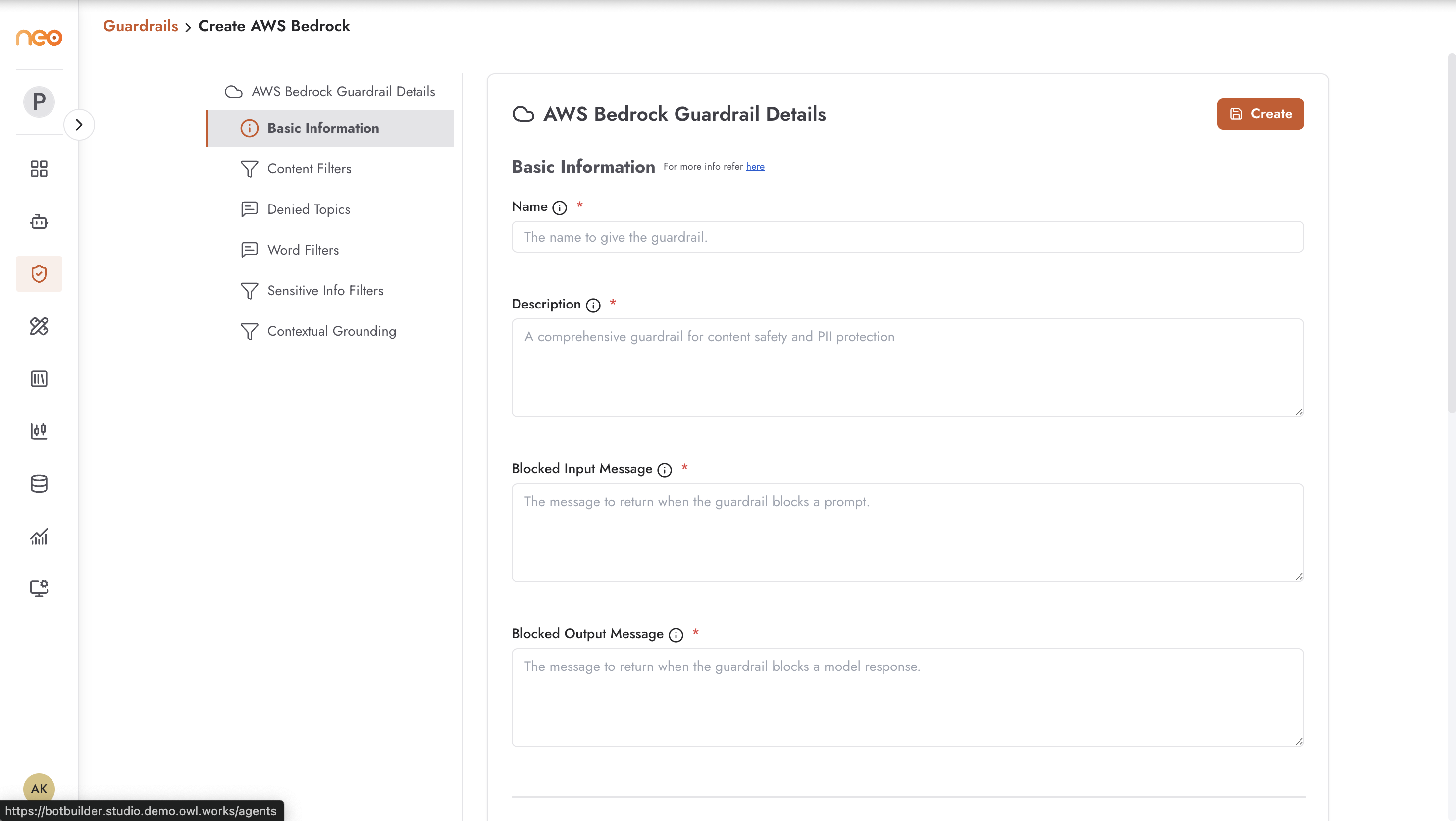
Creating a Bedrock Guardrail
Click + Create on the Bedrock tab to open the configuration form.
Basic Information
Name — a unique, descriptive name for the guardrail.
Tags and Labels — metadata for organisation and governance.
Content Filters
Content filters screen for harmful content categories. For each category you can configure the sensitivity level (None, Low, Medium, High) independently for inputs and outputs:
Sexual — sexually explicit or suggestive content.
Violence — violent, threatening, or graphic content.
Hate — hate speech targeting protected characteristics.
Insults — personal insults, bullying, and offensive language directed at individuals.
Misconduct — content that promotes illegal activities or unethical behaviour.
Prompt Attack — attempts to manipulate the agent through prompt injection or jailbreak techniques.
Denied Topics
Define specific subjects the agent should refuse to discuss. Each denied topic includes a name and a description that helps the Bedrock model understand what content falls into that category. Common uses:
Preventing agents from discussing competitor products
Blocking topics that are out of scope for the agent’s use case
Enforcing communication guidelines specific to your industry
Word Filters
Explicit control over specific words and phrases that should be blocked or flagged:
Profanity and offensive language lists
Competitor names
Restricted terminology
Custom blocked phrases
Sensitive Information Filters
The Sensitive Information Policy protects personally identifiable information (PII) and other sensitive data. You can enable filtering for a comprehensive range of entity types and configure the action per entity:
Block — prevent the content from being processed or returned.
Anonymize — replace the sensitive information with a placeholder (e.g.
[EMAIL_REDACTED]).None — permit the content without modification.
Supported PII entity types include:
Personal identifiers: email addresses, phone numbers, names, postal addresses, age, date of birth.
Financial information: credit and debit card numbers, CVV codes, card expiry dates, bank account numbers.
Government IDs: Social Security numbers, driver’s license numbers, passport numbers, national insurance numbers (UK), social insurance numbers (CA), and other regional variants.
Healthcare information: health insurance numbers, medical record numbers.
Cloud credentials: AWS Access Keys, AWS Secret Keys, API tokens.
Custom regex patterns are also supported. For each pattern, provide a name, description, regular expression, and the action to apply (Block, Anonymize, or None). Use regex patterns to detect organisation-specific sensitive data formats not covered by the built-in entity types — internal employee IDs, account reference numbers, and similar structured identifiers.
Contextual Grounding
Contextual grounding policies check whether agent responses are grounded in the source material provided (e.g. from a knowledge base or retrieved documents). Content that diverges from the source — hallucinated facts, unverifiable claims — can be blocked or flagged. This is particularly important for:
Customer support agents that must provide accurate information
Agents that reference specific policy documents
Any use case where factual accuracy is non-negotiable
Applying Bedrock Guardrails to Agents
Bedrock guardrails are applied from the agent’s Settings tab in the same way as In-House guardrails. They can be applied to inputs, outputs, or both. Multiple guardrails can be layered on a single agent.
Best Practices
Use Bedrock guardrails for regulated industries (healthcare, finance, legal) where PII protection and content safety must be demonstrably enforced with auditable infrastructure.
Combine Bedrock guardrails with In-House guardrails for coverage that a single system cannot provide. For example, use a Bedrock guardrail for PII masking and an In-House guardrail for company-specific topic restrictions.
The Sensitive Information Policy with Anonymize action is often preferable to Block for customer-facing agents — users see a response with placeholders rather than a hard rejection, which is a better experience while still protecting data.
Review and update denied topics and word filters regularly. An organisation’s list of competitors and restricted terminology changes over time.