In-House Tools
In-House tools are prebuilt integrations maintained by OneByZero Neo. They cover common capabilities — web search, code execution, SMS — that most agents need without requiring custom API work. They are visible on the In-House Tools tab on the Integrations page.
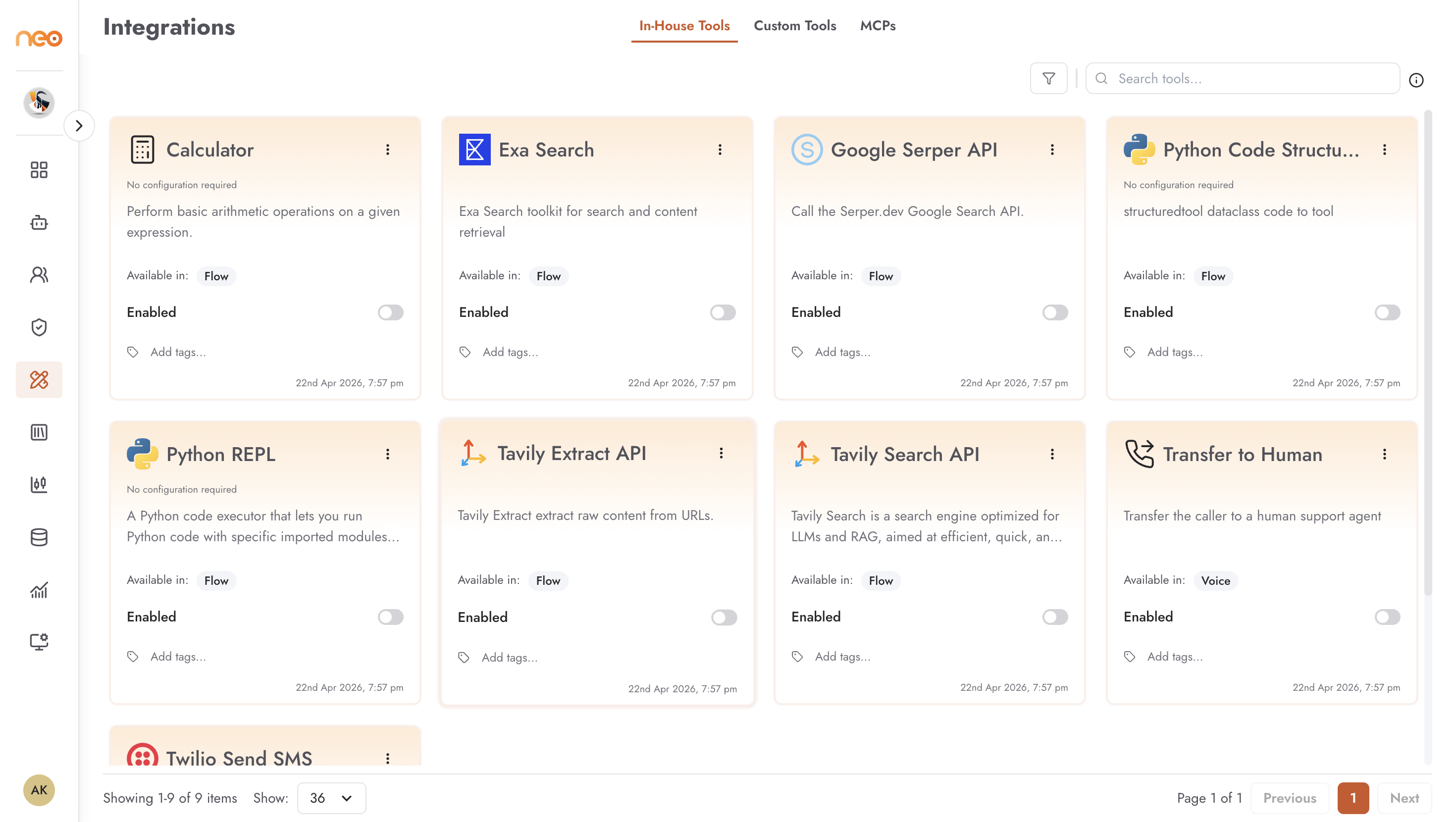
Available In-House Tools
Search and Research (available in: flow)
Google Serper API — calls the Serper.dev Google Search API to give agents the ability to search the web for current information.
Exa Search — search and content retrieval via the Exa API, optimised for AI applications.
Search API — calls the searchapi.io API with configurable result limiting.
Serp Search API — returns structured search engine results page data via the SERP API.
Tavily Search API — a search engine built for LLMs and RAG, optimised for fast, accurate web search.
Tavily Extract API — extracts raw content from a specified URL, enabling agents to read and process web pages.
Code Execution (available in: flow)
Calculator — evaluates arithmetic expressions. Ensures mathematical accuracy without relying on LLM inference for calculations.
Python REPL — executes Python code with a configurable set of imported modules. Enables agents to perform data processing, analysis, and complex computations.
Python Code Structured — a structured variant for converting dataclass code to executable tools.
Communication (available in: voice)
Twilio Send SMS — sends SMS messages via the Twilio API.
Transfer to Human — transfers the caller to a human support agent.
Configuration Status
Each In-House tool card shows its current configuration state:
No configuration required — the tool works immediately. Calculator and Python REPL fall into this category.
Configured — the tool has been set up with credentials or parameters. For example, Twilio Send SMS requires API credentials before use.
Enabled / Disabled — the toggle on each card controls whether the tool is available for agents to use.
Tools that require configuration show a setup form when you click the card. The form fields are specific to the tool — API keys, account identifiers, default parameters, and similar settings. Fill in the required fields and save to mark the tool as configured.
Agent type compatibility
Some In-House tools display an Available in: badge indicating which agent types support that tool (for example, voice-only tools show a voice badge). Confirm compatibility before selecting a tool for a specific agent type.
Enabling a Tool for Agents
Once an In-House tool is configured and enabled:
Open the relevant agent in the builder.
For Agentic Flow agents, add the tool as a tool node in the flow canvas.
For Chatbot agents, add it as a block in the flow.
The tool becomes available to the agent using the credentials and settings configured in the Foundry. Individual agents do not store tool credentials — they reference the Foundry configuration.